Vienna Essential Orchestra
Your First Orchestra,
Recorded in Vienna.
Strings, woodwinds, brass and percussion, recorded at Vienna Synchron Stage — made for beginners, students and home producers. No orchestra experience needed.
Free VSL account; checkout takes about 2 minutes; 24.8 GB download — you can be playing tonight.

“In terms of cost and functionality, it’s a great way to get access to high-quality orchestral samples. I wish VEO had been around when I started my career.”
See it in action
This Is All the Software You Need
Every VEO instrument runs in the free Synchron Player with its Flow View: pick an instrument, press a key, turn a handful of clearly labelled controls — dynamics, timbre, reverb. That’s the whole learning curve.
- ✓Ready-to-play presets for every instrument — from close-up studio to full concert hall
- ✓Guided “Start Tour” the first time you open it
- ✓Runs standalone or as a plug-in — your choice
- ✓Free DAW templates — load the full orchestra, press play, start writing
Let Sebastien Hollich introduce you to our new Vienna Essential Orchestra.
Screen by screen
The Real Interface
Click any screenshot to enlarge.
Want the full tour? The VEO Guide is your getting-started walkthrough of the player itself — first launch, loading instruments, playing styles, your first phrase.
Who it’s for
Made for Your First Orchestra Piece
- ✓No notation skills needed. If you can play or click in a melody, you can write for orchestra.
- ✓No MIDI keyboard needed. Your computer keyboard and mouse are enough. (Got one anyway? Plug it in — it just works.)
- ✓You’ll need a DAW — and it doesn’t have to cost anything. A Digital Audio Workstation is the program you record and arrange music in — that’s where a piece gets written. GarageBand is free on every Mac, and there are free options for Windows too; VEO runs in all of them. Without one you can still open VEO on its own and play the instruments, but not build a piece.
Every section you scroll adds the instruments you’ve just met. Everything you hear was made with VEO alone. “Galaxy Trip” was written by Levente Kovács.
The part nobody else has
Two Orchestras. Two Rooms.
Every instrument in VEO comes in two versions — a wide, cinematic one from a famous scoring stage and a close, dry one from a studio. Two different sounds, not one sound with a reverb knob. You choose the room that fits your track.
Drag the fader while the music plays — same notes, different players, different space. Keyboard: arrow keys.
This fader is a demo for this page only: it crossfades the two room versions so you can compare them. There is no blend control in the plugin.
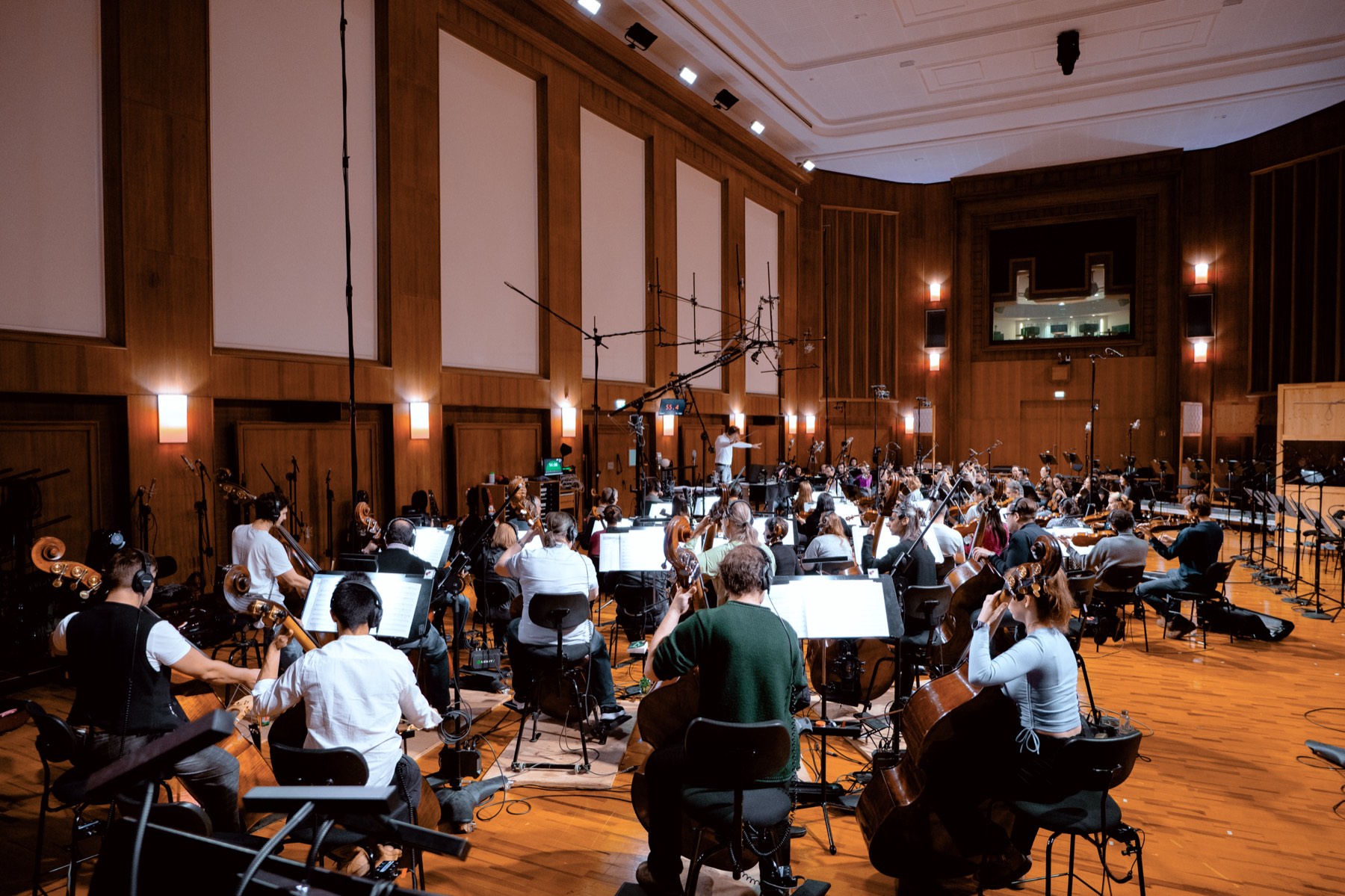
Synchron Stage — the 540 m² scoring stage in Vienna where orchestras record music for big films. Wide, warm, cinematic — the hall does the glow.
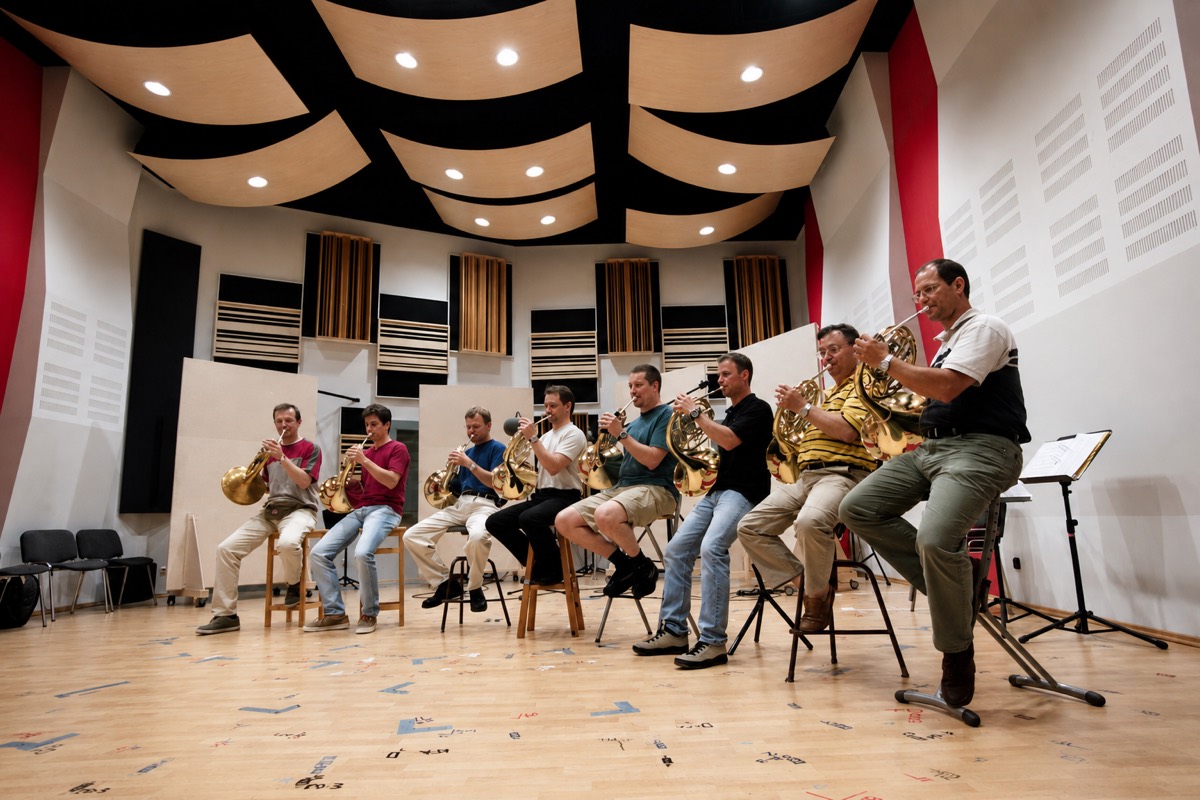
Studio — the same instruments in a dry, close-up room. Direct and intimate — easy to shape until it fits your track.

“I love the variety these instruments bring to the table. Having the flexibility to choose between the Synchron and the Studio instruments is fantastic. You can find the right fit for any idea you have.”
What’s inside
Every Instrument. Every Playing Style. Listed.
The stage below is seated exactly like the player’s Flow View. Pick your room, then tap any section for a short phrase.
Tap a section to hear a short phrase
The small “Solo” chip at the front of a section is its solo player — first desk, right by the conductor.
The Complete List, Room by Room
Every instrument — at Synchron Stage and in the Studio. Switch rooms to see that room’s list. The playing styles are the same in both rooms — Staccato is short and crisp, Sustain held long, Legato smoothly connected, Pizzicato plucked with a fingertip. Percussion plays single strokes and rolls.
“Bb” after Clarinet and Trumpet simply names the standard orchestral build of the instrument. Nothing to transpose — play a C and you hear a C.
Honest comparison
Already Using a Free Starter Orchestra? Good — Keep It.
Free starter libraries are a genuinely great way in — plenty of us started there. Here’s what changes when you’re ready for more:
And next to the usual € 15–20 orchestra subscriptions: VEO is € 9.99 per month, incl. VAT — and every instrument comes in two rooms.
From early subscribers
Three Early Subscribers
“It’s definitely a perfect fit for beginners! And the sound selection is well chosen too — everything you need is there. The subscription is fairly priced, and I really like the monthly cancellation policy too, which ultimately makes this a total no-brainer for me. I’ll definitely be recommending VEO to my students at Zurich University of the Arts.”

“VEO is so much more than just an essential orchestra — there’s some magic in it. The simple switch between the studio and hall environments is a real game-changer for me!”

“In my view, a great orchestra with this level of quality and scope at such an affordable price is a valuable asset for beginners, advanced users, and professionals alike, and it’s worth every cent many times over.”

What this sound normally costs
The Same Stage, Four Budgets
VEO is the essential selection from the same recordings, the same stage and the same team as VSL’s professional libraries. Here’s the family it comes from:
Vienna Symphonic Library has built virtual orchestral instruments for more than 25 years — recorded where major film scores are made.


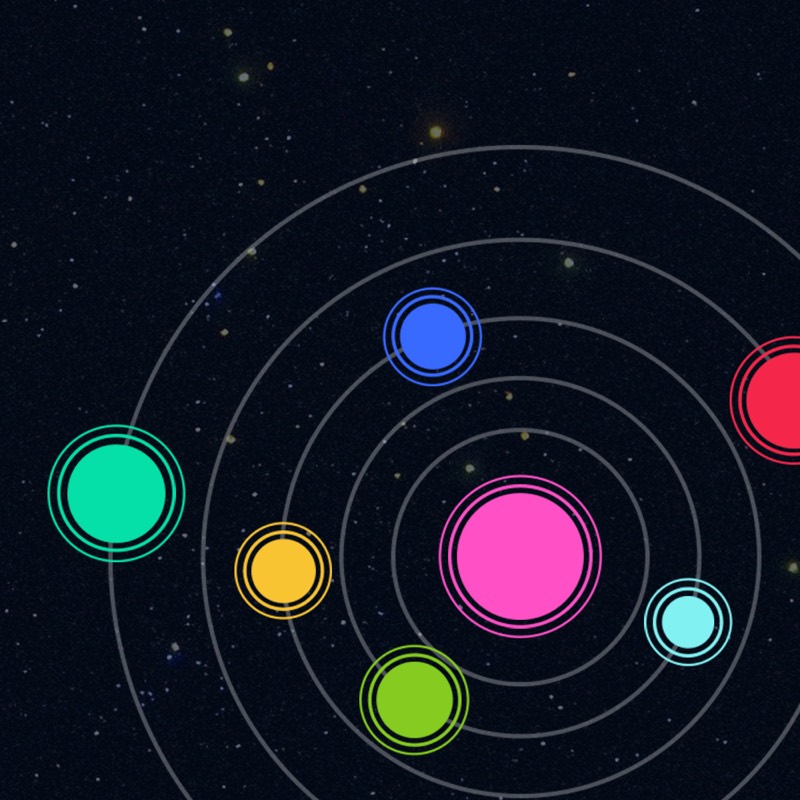

Everything you learn in VEO carries over — same player, same logic, same stage. Bundle prices: vsl.co.at list prices, August 2026.
How it works
From Here to Your First Orchestra Piece
Create Your Free VSL Account
An email address and a password, that’s it.
Start Your Free TrialSubscription
Nothing is charged today. Add your payment details and billing address — the first charge lands on day 8, and cancelling before that costs nothing.Add your payment details and billing address. € 9.99 per month, incl. VAT, cancel online anytime.
Create a Free iLok Account
VEO’s license lives here. Create your account in one click, or enter the iLok user ID you already have — the license lands there by itself, with no extra hardware.
Download 24.8 GB
Download and install the free Vienna Assistant app — it then downloads and installs everything for you. How long depends on your connection.
Play
Open your DAW, load the violins, press a key. That’s the moment. (In a hurry? VEO also opens on its own — good for a first listen.)
Load & play
One Template. Zero Setup.
Every template opens with the full VEO orchestra already routed, grouped and named — press play and start writing. Install VEO first through the free Vienna Assistant, then download the template for your DAW and open it.
The offer
Try the Full Orchestra for Seven Days. Keep What You Write.
Next: free VSL account → checkout (≈ 2 minutes) → 24.8 GB download starts right away.
Our promise
How to Cancel (Yes, We’re Really Telling You)
Two clicks, done. Works on your phone.
What Happens After
- ✓Your exported audio is yours forever. Every piece you’ve saved as an audio file keeps playing — on Spotify, on YouTube, everywhere.
- ✓Your VEO instruments stop loading when your paid month ends — so export your pieces as audio before you go (about a minute per track).
- ✓Your account, settings and projects stay saved. Come back anytime and everything clicks back into place.
Before you decide
Everything People Ask Before Their First Month
Can I use my music commercially?
Yes. Everything you create with VEO is yours — release it on Spotify, on YouTube (including videos that go through Content ID), in games, films and client work. No extra license, no royalties to us. The only thing nobody may do is resell the raw sounds themselves as a sample collection.
How do I cancel?
Online, in 2 clicks: log in → Subscriptions → Cancel. No phone call, no email, no maze. The step-by-step is in the “How to cancel” panel above.
What happens to my music if I cancel?
Every piece you’ve exported as an audio file is yours forever. Project files that use VEO instruments need an active subscription to play those instruments again — so export your pieces before you go. Your account and settings stay saved for whenever you return.
What do I need to run it?
A Mac (macOS 12 or newer) or Windows PC (Windows 10/11, 64-bit), 8 GB of RAM, an SSD with 24.8 GB free — a normal laptop is fine. You’ll also create a free iLok account for license activation; the iLok Cloud option works without any extra hardware.
“I’ve noticed that the software I have from VSL Vienna runs smoothly, flawlessly, and quickly on my Windows 11 system, using few resources.” — Albert Deak, subscriber
Do I need to be online to play VEO?
You choose. iLok Cloud is the simplest route — nothing to plug in, your license is just there when you open the plug-in — but it checks in over the internet while you play. An iLok USB key works offline instead. Those are the only two routes — nothing is tied to one particular computer, so you can move between machines either way. The 24.8 GB download happens once, not every time you play.
Do I need a MIDI keyboard?
No. Play with your computer keyboard and mouse, or draw notes directly in your music program. If you do have a MIDI keyboard, plug it in — it works right away.
I’ve never written for orchestra. Will it actually sound good?
Honestly: the recordings do a large part of the work. Every instrument comes with ready-to-play presets, and the room is already in the recording — you’re not building a sound from scratch, you’re choosing between two that exist. The piece that grows as you scroll this page was written with VEO alone, and so were the demos in the player. Start with strings, add one section at a time, and listen. That’s how most first pieces happen.
Do I need a DAW?
For writing a piece, yes. On its own, VEO opens in the Synchron Player — you can browse every instrument and play it live, which is perfect for trying things out. But recording your notes and layering the sections happens in a DAW, so that’s where a piece gets written. It doesn’t have to be expensive: GarageBand is free on every Mac, and there are free options for Windows too — Cakewalk Sonar Free, Tracktion Waveform Free, Reason Free, UA LUNA Free. VEO runs as a plug-in in all of them, and free DAW templates for the most common ones are on this page.
Is VAT really included in the € 9.99?
Yes. € 9.99 per month, incl. VAT is the price you actually pay — nothing gets added at checkout.
When exactly am I billed?
Your trial runs a full 7 days; the first charge lands on day 8, then monthly on that same date. There is no reminder email, so note the date if you want to decide before then. Cancel during the trial and you pay nothing at all.
You’re billed today, then monthly on the same date. Cancel anytime; your access runs to the end of the month you’ve paid for.
What if I outgrow VEO?
That’s the plan. VEO uses the same player as VSL’s bigger Synchron and Studio libraries — when you move up to Synchron Prime or a full library, your skills, your habits and your workflow carry straight over.
What’s not included?
VEO focuses on the core symphonic orchestra — so there is no choir and no saxophones, and the solo winds come in one flavor per instrument. If you need those, VSL’s bigger Synchron and Studio libraries are the natural next step — and everything you learn in VEO carries straight over.
Can I try it before paying?
Yes — the 7-day free trial is the full library, nothing locked. And before even that: the demos and the room fader on this page are the real recordings, right in your browser.
Formats & Compatibility
Minimum: Windows 10 (64-bit) or macOS 12, 8 GB RAM, SSD, free iLok account. Recommended: Windows 11 / current macOS, 32 GB RAM. Content installs via the free Vienna Assistant.
The Free Vienna Assistant
One app does the whole install: it downloads VEO (and all other VSL products) and puts it where it belongs. It needs the free VSL account from the first step — without one there is nothing for it to fetch.
Starts straight away and picks the right installer for your system automatically — macOS or Windows.
Your Orchestra Is One Evening Away.
Download tonight, sketch your first piece this weekend. And if it turns out orchestras aren’t your thing — cancel in 2 clicks and keep every note you exported.
€ 9.99 per month, incl. VAT after the free week; free VSL account; 24.8 GB download