Welcome to the Vienna Essential Orchestra! This collection was conceived to provide you with the main instruments and ensembles of the symphonic orchestra, with two different recording approaches to maximize your possibilities in their use. Thus the library not only includes instruments recorded at Stage A, the main hall of Vienna’s revitalized Synchron Stage Vienna – aptly named Synchron Instruments –, but also at our erstwhile recording facility, the Silent Stage – these are called Studio Instruments.
The collection is divided into two separate groups: Synchron Presets and Studio Presets.
As mentioned above, Synchron instruments were recorded at Stage A of our Vienna Synchron Stage with its unique ambience, and therefore are by default already “placed” in the virtual orchestra. Apart from a Room-Mix channel, you will also find a Close microphone channel in the mixer, so you can, e.g., adjust the prominence of individual instruments while easily maintaining the overall aural integrity of your orchestra.
Studio instruments, on the other hand, were originally sampled at our renowned Silent Stage and are virtually reverb-less. They were remastered to integrate perfectly with our Synchron instruments. However, you can equip them with any reverb you like, and they are thus ideally suited for using them with Vienna MIR 3D, our Multi Impulse Response reverb software featuring a selection of famous recording sites such as the Vienna Konzerthaus.
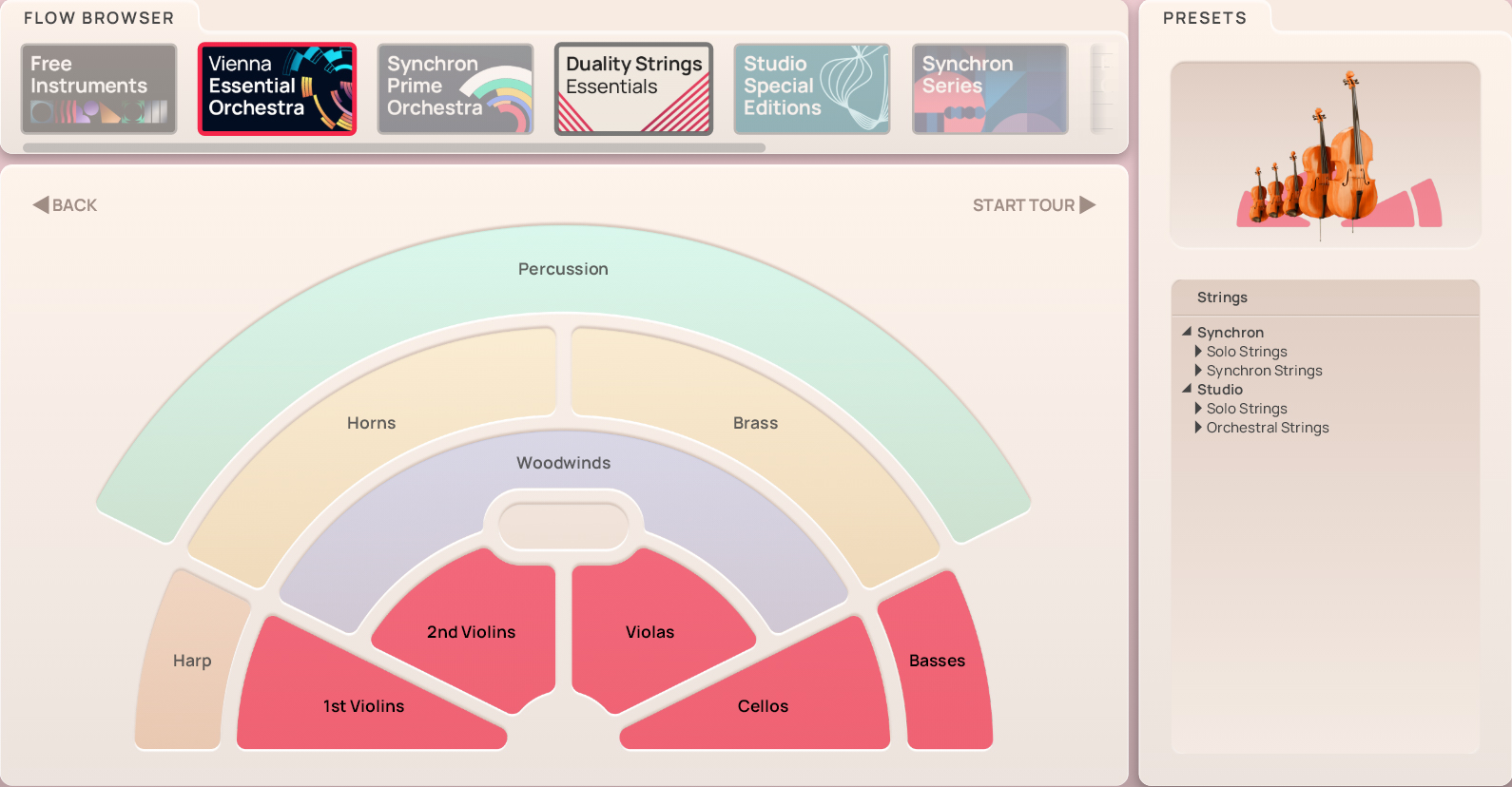
There are two different designs of Presets, accessible by clicking on the icons “Flow” resp. “Precision” in the Synchron Player’s top bar. Flow Presets offer an intuitive, graphic approach to the library’s contents, with instrument, articulation, and sound parameters displayed in a single window.
Precision Presets are what you already know if you own other VSL libraries. They allow you to explore the depths of the library, adjusting and tweaking parameters as you see fit. Here you can also create presets of your own and adapt them to your workflow.
Each of the Library’s Synchron instruments features Room-Mix samples (distilled from the complex microphone setup of our large collections’ recordings) and those of a Close microphone, allowing you to adjust placement and balance of your instruments in the Synchron Player’s “Mix” tab.
Studio instruments have only one mixer channel, and are an excellent choice if you want to add reverb of your own, or aim for a more intimate character in your piece.
To give you some starting points for your work, there are a number of Mixer Presets for every instrument, depicting different recording situations.
The basic Mixer Presets for Synchron instruments are Close, Classic, Wide, Distant, Ambience, and Wet, with additional options, e.g., for the solo strings; moreover, FX presets like Lush, Sparkling, or Catchy may be added, and are tailored to the respective instrument.
Studio instruments also feature Close, Classic, and Distant presets. Apart from that, they also provide presets with short and long reverb without convolution, and MIR unprocessed for use with our and other reverb software.
Patches can be used to build your own custom Presets and thus adapt Synchron Libraries to your specific requirements. For further information on constructing Presets, please see the Synchron Player manual.
For designating pitch, the Vienna Symphonic Library uses International Pitch Notation (IPN), which was agreed upon internationally under the auspices of the Acoustical Society of America. In this system the international standard of A=440 Hz is called A4 and middle C is C4. All pitches are written as capital letters, their respective octave being indicated by a number next to it. The lowest C on the piano is C1 (the A below that is A0), etc.
The Synchron Player software allows you to set middle C to C3, C4, or C5 according to your preference. Selecting another setting than C4 will of course also change the play ranges and keyswitches accordingly.
Flow Presets give you instant access to the most important parameters of an instrument, its articulations, and general sound settings in the Synchron Player’s Flow view. The display is subdivided accordingly, with the graphic keyboard underneath. On the Flow Browser page, you can click on “Start Tour” to step through explanations of the different Flow elements and parameters. Alteratively, you can click on the Info Hub icon in the upper right corner of the instrument pane, where you can start the tour or connect to our online instrument academy.
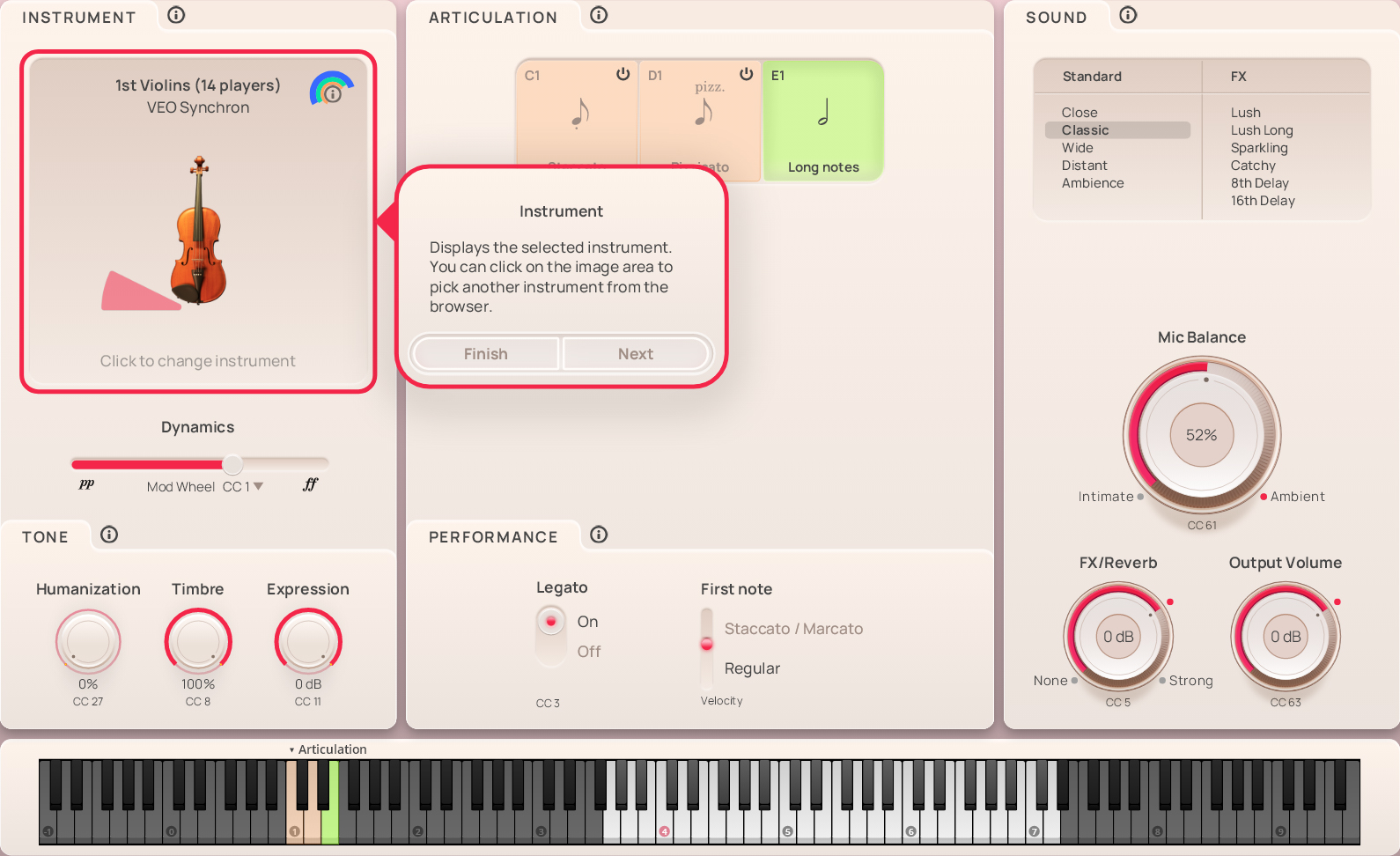
The Instrument section shows a symbolic image of the selected Instrument, headed by the name of the loaded Preset. You can return to the Flow Browser to select another instrument by clicking on the field.
The Dynamics fader under the instrument is set to the modwheel (MIDI CC1) or keystroke velocity by default – with the long notes used in the example below, it is the modwheel, meaning that you can influence the volume of a note being played by changing the controller value. You could also set it to a breath controller (MIDI CC2), leaving your hand free for other stuff. Staccatos and pizzicatos, e.g., are set to keystroke velocity, as changing the volume of such short notes while they are sounding hardly makes sense.
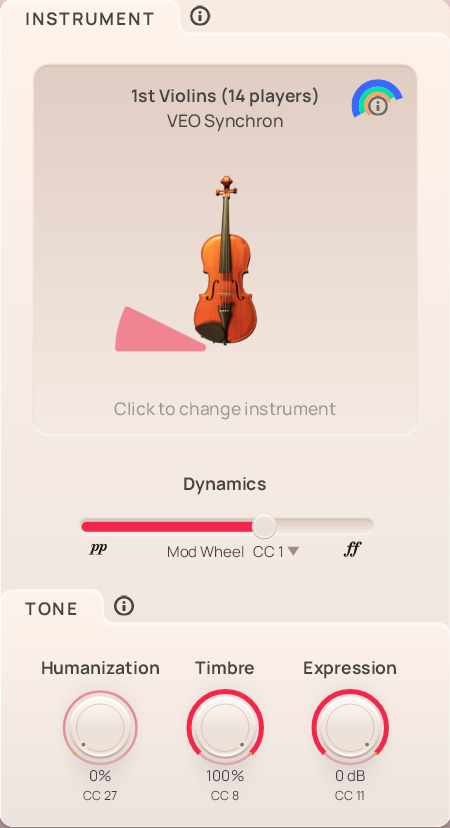
In the Tone field, you get access to three other items which may be an important factor in making your piece sound truly alive:
Humanization (MIDI CC27) lets you determine the percentage of not being exactly on time – a kind of counter-quantization that introduces the indispensable element of imperfection.
Timbre (MIDI CC8) affects the tone of the instrument, making it sound brighter or darker.
Expression (MIDI CC11) is an additional volume control defining a percentage of CC7 (volume), and can be used for automation.
The Articulation pane holds all the samples, so to speak. In the upper field, you see the possible choices with their keyswitches, which are also marked on the Synchron Player’s virtual keyboard. Of course, you can also click on a button to switch to that articulaton. The articulation buttons are color-coded: orange for short notes and green for long ones.
Note:
Percussion instruments lack this section, since their articulations are either mapped to individual keys or they have only one articulation (e.g., the celesta etc.).
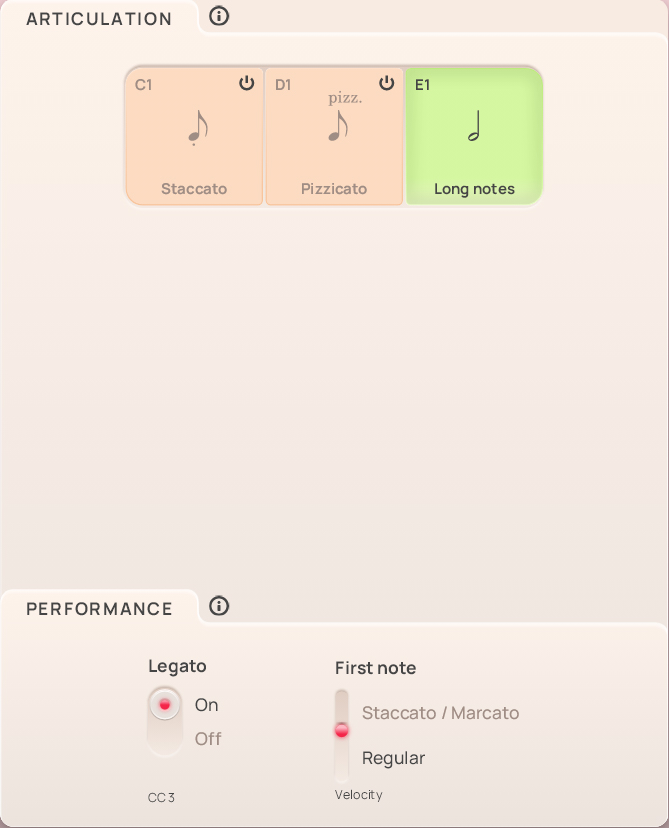
The Performance field contains all the playing variants of the selected articulation. Since there isn't an abundance of variants in this collection, the performance options are simple, and mainly concern long notes.
The Legato option of long notes can be switched on and off with MIDI CC3.
First note is determined by keystroke velocity, and adds a staccato resp. marcato attack to the note.
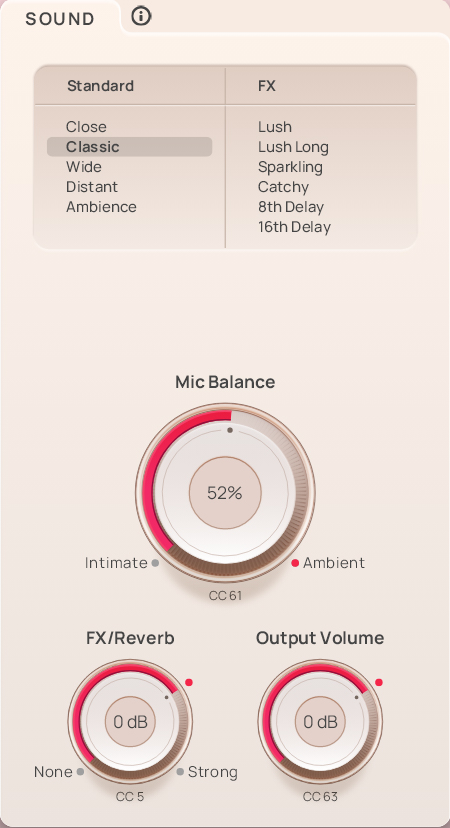
In the Sound pane, you can select a Standard mixer preset on the top left, or one of the FX Presets on the right side.
Mic Balance (MIDI CC61) adjusts the relation between intimate and ambient microphoning.
FX/Reverb (MIDI CC5) sets the amount of reverb, which is different in intensity according to the selected preset.
Output Volume (MIDI CC63) takes care of how much of what you do comes out of the Synchron Player.
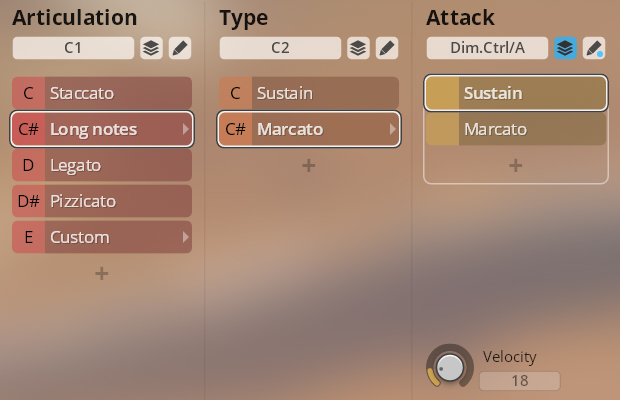
Articulation keyswitches are used to change an instrument's playing style, e.g., from staccato to sustained. They range from C1 to D#1/E1 for high instruments, and from C5 to D#5/E5 for low instruments. All string and wind instruments have an extra articulation slot named “Custom” which you can use to create your own settings.
Note:
The volume of sustained notes in Presets with the suffix “VelXF” (all except the harp) can be adjusted with the modwheel (MIDI CC 1), allowing you to play crescendo and decrescendo while holding the key.
Velocity XF sustains: MIDI CC 1 (modwheel)
Articulation switches: high instruments C1–E1, low instruments C5–E5
Solo strings: violin, viola, violoncello.
Orchestral strings: 1st violins (14 players), 2nd violins (10 players), violas (8 players), cellos (8 players), double basses (6 players).
Articulations: staccato, sustained notes with a marcato attack option, legato, pizzicato.
Range:
Solo: violin G3–E7, viola C3–E6, cello C2–A5
Ensembles: 1st and 2nd violins G3–E7, violas C3–F6, cellos C2–A5, basses B0–D4Sustained / marcato switch: C2/C#2 (violins, violas), C7/C#7 (cellos, basses)
Marcato attack: Dim.Ctrl/A (keystroke velocity)
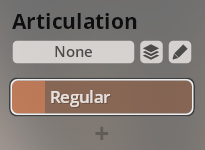
Single notes, regular.
Range: B0–G#7
Flute, French oboe, clarinet in Bb, and bassoon.
Articulations: staccato, sustained notes with a marcato attack option, legato.
Range:
Flute: B3–D7
Oboe (French): A#3–A6
Clarinet in Bb: D3–G6
Bassoon: A#1–F5Sustained / marcato switch: C2/C#2 (flute, oboe, clarinet), C7/C#7 (bassoon)
Marcato attack: Dim.Ctrl/A (keystroke velocity)
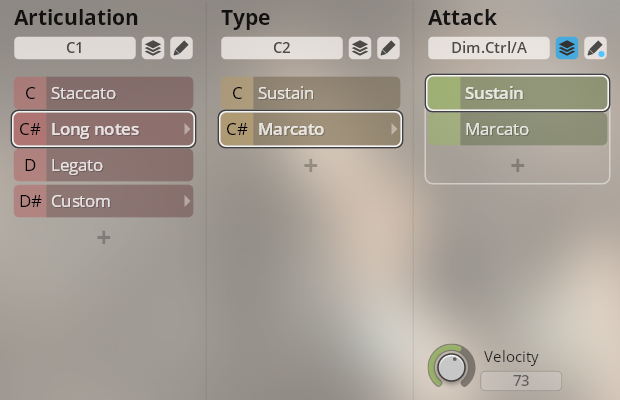
Horn, horn ensemble (6 and 12 players), trumpet in Bb, trumpet ensemble (4 players), tenor trombone, trombone ensemble (4 players), bass tuba.
Articulations: staccato, sustained notes with a marcato attack option, legato.
Range:
Horn: C2–F#5
Horn ensembles: D#2–F5
Trumpet Bb, trumpet ensemble: F#3–D6
Tenor trombone, trombone ensemble: E2–A#4
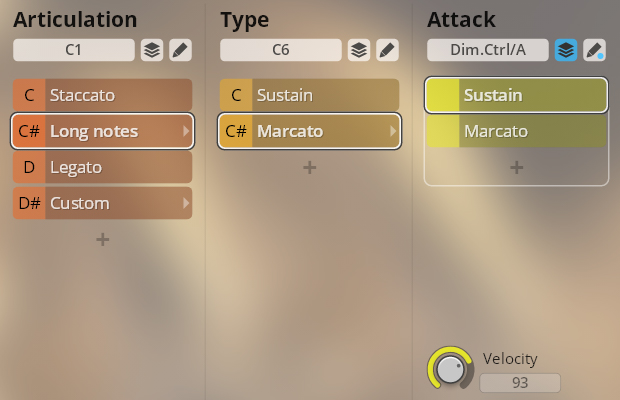
Bass tuba: C1–D4Sustained / marcato switch: C2/C#2 (trumpets), C6/C#6 (horns, trombones, tuba)
Marcato attack: Dim.Ctrl/A (keystroke velocity)
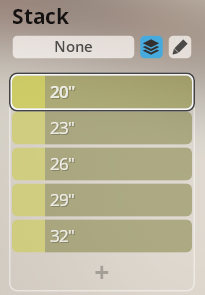
Five stacked timpani sized from 32" to 20", playing single strokes.
Range:
C2–B3 left hand
C4–C6 right hand
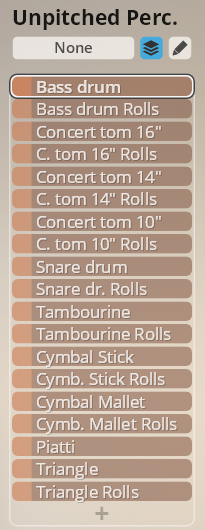
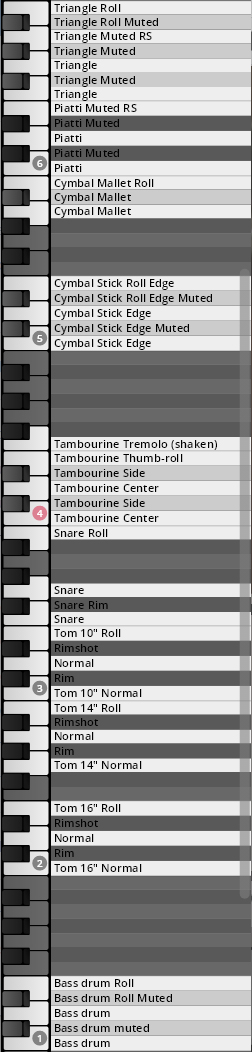
The main percussion instruments with single strokes on different areas, and rolls. Muted strokes depending on instrument. The volume of rolls can be adjusted with the modwheel (MIDI CC 1), allowing you to play crescendo and decrescendo while holding the key.
Range: C1–B6.
Bass drum: C1–E1
Concert tom 16": C2–E2
Concert tom 14": G2–B2
Concert tom 10": C3–E3
Snare: F3–B3
Tambourine: C4–F4
Cymbal stick: C5–E5
Cymbal mallet: A5–B5
Piatti: C6–E6
Triangle: F6–B6Rolls XF: MIDI CC 1 (modwheel)
Mapping:
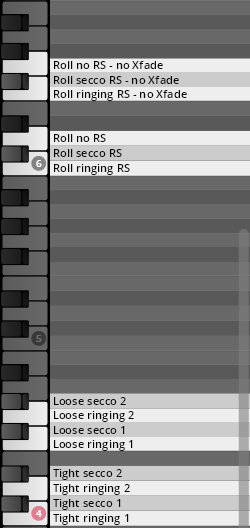
Single hits tight and loose, ringing and secco, and rolls with ringing, secco, and no release, with and without velocity crossfading. The volume of Xfade rolls can be adjusted with the modwheel (MIDI CC 1), allowing you to play crescendo and decrescendo while holding the key, while the static volume of “no Xfade” rolls is controlled by keystroke velocity.
Range: C4–G6.
Tight: C4–D#4
Loose: F4–G#4
Rolls Xfade: C6–D6
Rolls no Xfade: F6–G6Rolls XF: MIDI CC 1 (modwheel)
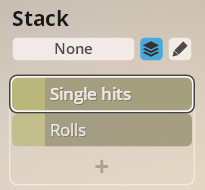
Mapping:
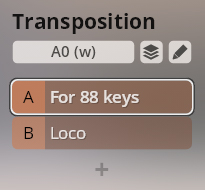
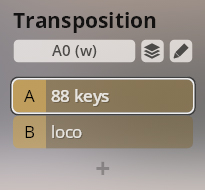
Single notes, mapped for keyboards with 88 keys (one octave lower than sounding) and loco.
Range:
Celesta: 88 keys C2–F7, loco C3–F8
Glockenspiel: 88 keys C4–E7, loco C5–E8Transposition 88 keys/loco: A0–B0
Single notes.
Range: C4–C8
Single strokes, open.
Range:
C2–B3 left hand
C4–A#5 right hand
Bass drum, snare drum, concert toms, and tambourine: single hits and rolls.
The volume of rolls can be adjusted with the modwheel (MIDI CC 1), allowing you to play crescendo and decrescendo while holding the key.
Range: C3–D6.
Bass drum: C3–E3
Snare drum: F3–B3
Concert toms: C2–E2
Tambourine: C4–F4
Bass drum rolls: F#4–B4
Snare drum rolls: C5–G#5
Toms rolls: A5–B5
Tambourine rolls: C6–E6Rolls XF: MIDI CC 1 (modwheel)
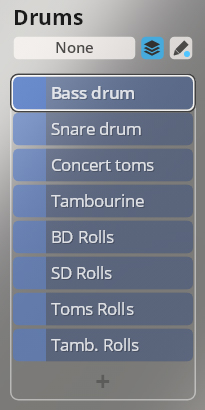
Mapping:
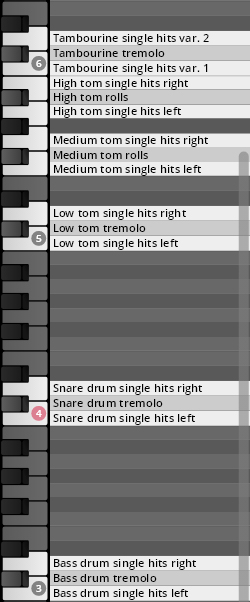
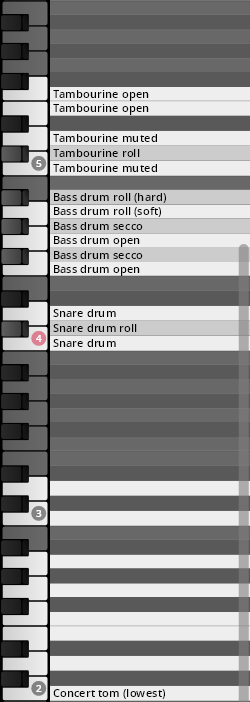
Single strokes of concert toms, snare drum, bass drum, and tambourine; rolls for all except toms. The instruments in this preset are processed so that you can determine the amount of dry and wet signals with the help of a dimension controller.
The volume of rolls can be adjusted with the modwheel (MIDI CC 1), allowing you to play crescendo and decrescendo while holding the key.
Range: C2–F5.
Concert toms: C2–D3 (white keys)
Snare drum: C4–D4
Bass drum: F4–A#4
Tambourine: C5–F5Rolls XF: MIDI CC 1 (modwheel)
Dry/wet: Dim.Ctrl/A (MIDI CC 3)
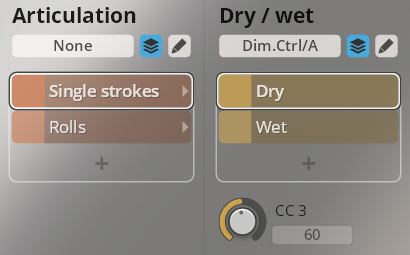
Mapping:
Suspended cymbal with soft mallet: single hits and tremolo. Piatti: single hits var. 1/2.
The volume of the cymbal tremolo can be adjusted with the modwheel (MIDI CC 1), allowing you to play crescendo and decrescendo while holding the key.
Range: C5–D6 (white keys).
Suspended cymbal: C5–E5
Piatti: C6–D6Rolls XF: MIDI CC 1 (modwheel)
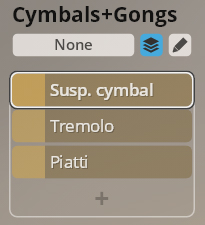
Mapping:
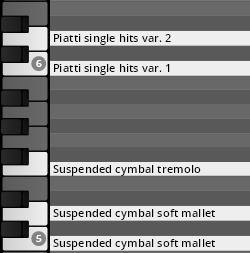
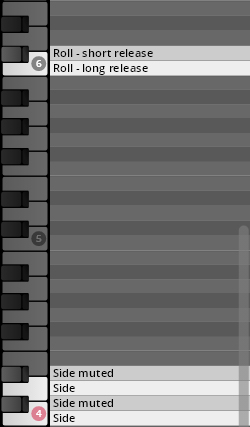
Single strokes on the side, open and muted, and static rolls.
The volume of rolls can be adjusted with the modwheel (MIDI CC 1), allowing you to play crescendo and decrescendo while holding the key.
Range: C4–C#6.
Rolls XF: MIDI CC 1 (modwheel)
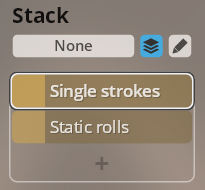
Mapping:
Single notes, mapped for keyboards with 88 keys (one octave lower than sounding) and loco.
Range:
Celesta: 88 keys C2–F7, loco C3–F8
Glockenspiel: 88 keys C4–E7, loco C5–E8Transposition 88 keys/loco: A0–B0
Single notes.
Range: C4–C8