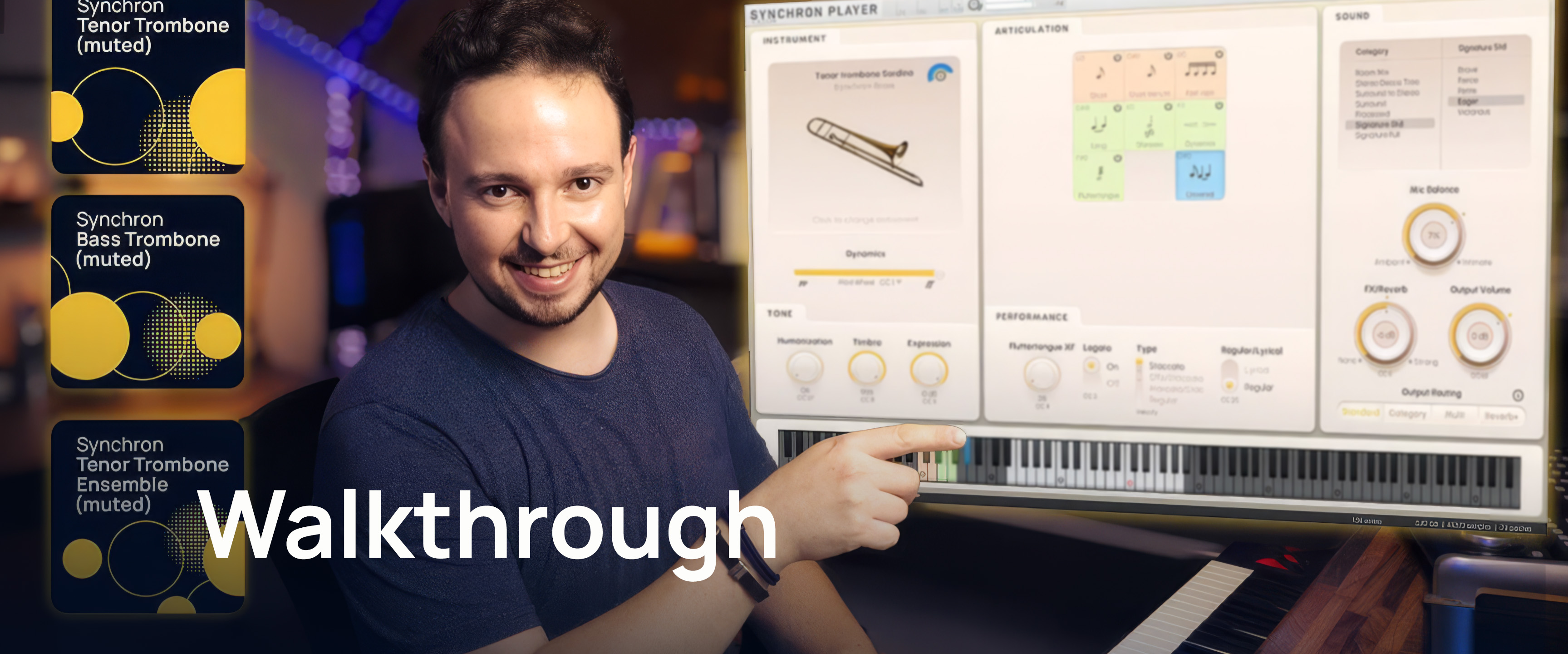
Welcome to the Vienna Symphonic Library's series of Synchron Instruments! These instruments were recorded at Stage A, the main hall of Vienna's revitalized Vienna Synchron Stage. The recordings were executed using an expansive, phase-controlled multi-microphone set-up, capturing the articulations played in a scoring stage with exceptional acoustics, now ready to be used in your studio. This document will provide you with the information you need to use the Library with our Vienna Synchron Player.
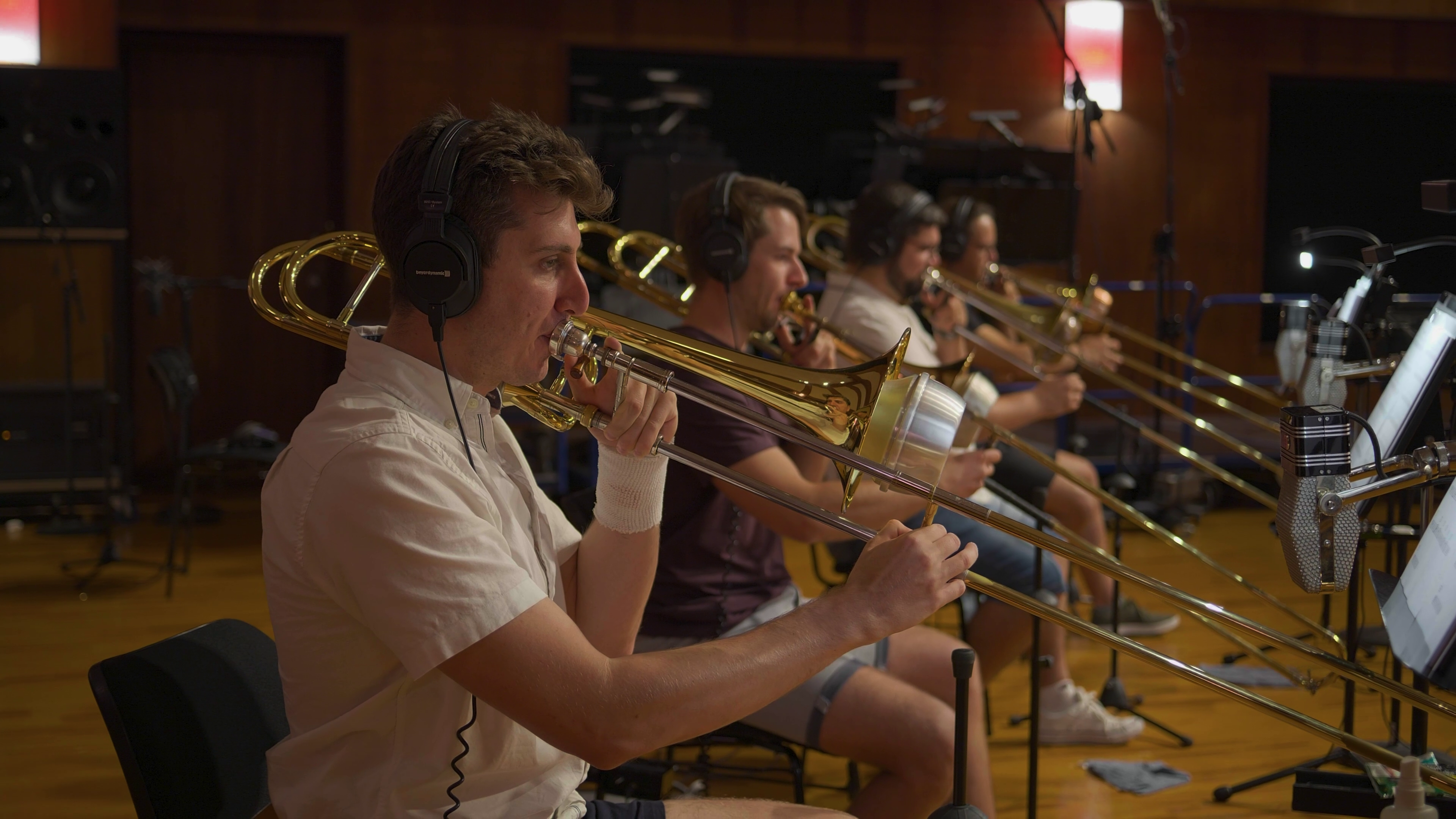
All the instruments were recorded using up to 9 separate phase-coherent microphone configurations. The Standard Library includes 4 of these sections (as well as a RAM-friendly Room Mix section composed of merged samples from the individual positions), allowing you to integrate instruments recorded with a stereo Decca tree into your projects using the Vienna Synchron Player stand-alone or as a plug-in instrument. Adding the Extended Library and thus getting the Full Library expands your possibilities to 5.1 surround and Auro 3D 9.1.
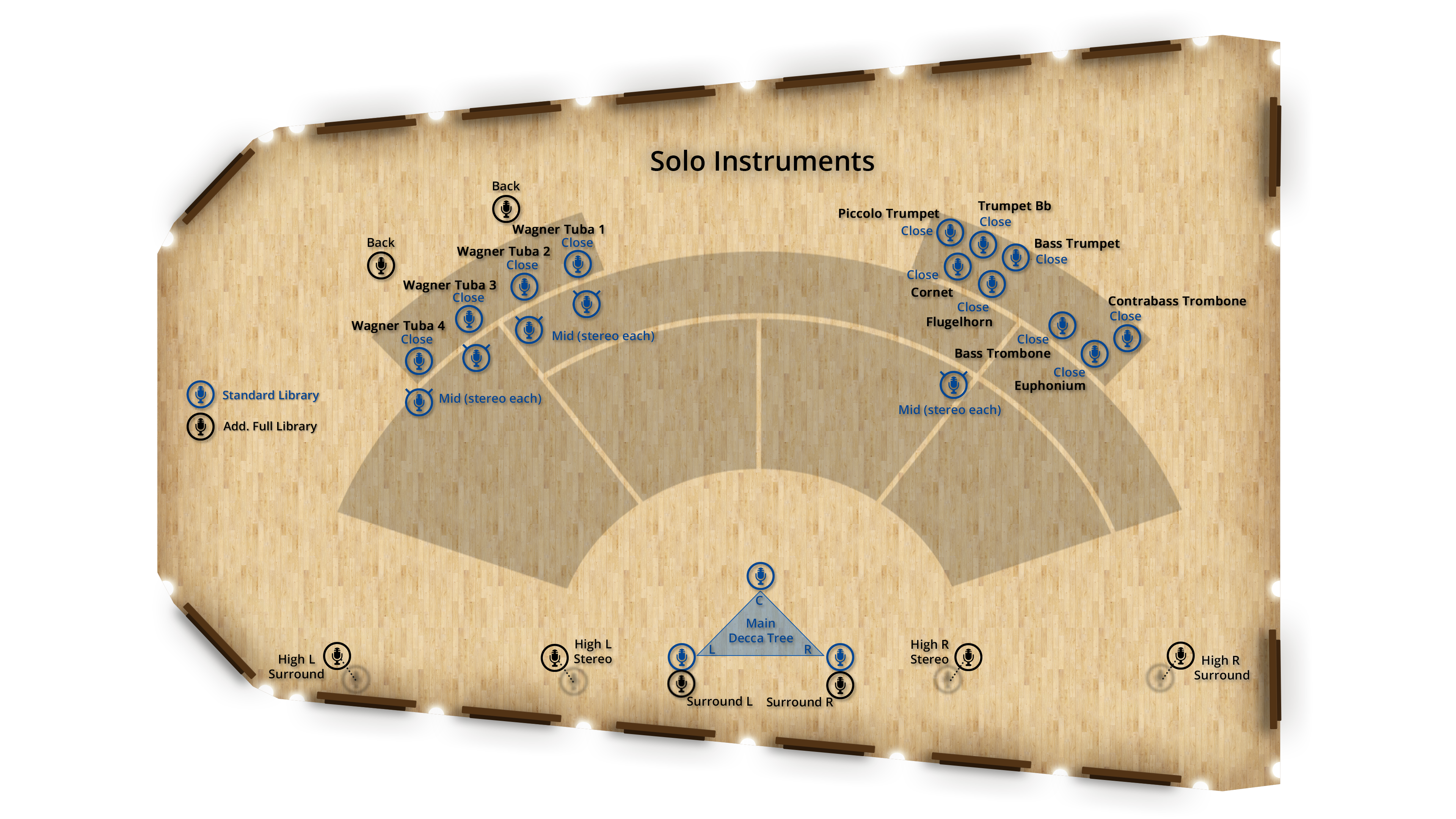
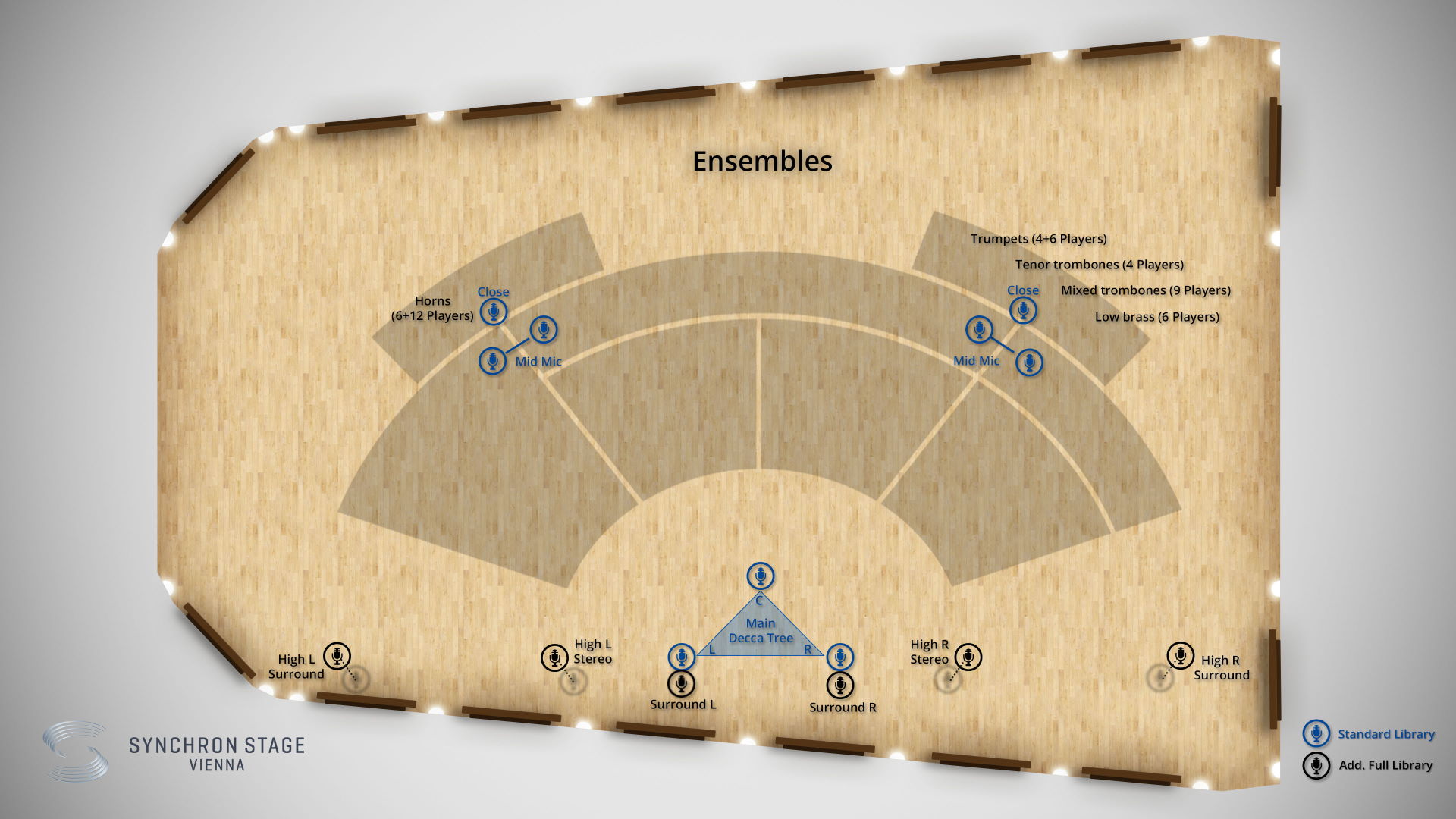
Standard Library
Close Mic – Mono
Mid Layer Mic – Stereo (L/R)
Main/Room Mic – Decca Tree Stereo (L/R)
Main/Room Mic – Decca Tree Mono (Center)
Extended Library
Main Surround – Stereo (L/R)
High Stereo (3D) – Stereo (L/R)
High Surround (3D) – Stereo (L/R)
Wagner Tuba Back Mic 1 – Mono (Wagner tubas only)
Wagner Tuba Back Mic 2 – Mono (L/R) (Wagner tubas only)
The instrument presets also include different mixer presets. By default the Ambience room mixes are loaded, which feature the Standard Library microphone position "Room-Mix", for best performance out of the box.
All mixer presets are balanced in the stereo field to represent the respective instrument's position in the Synchron Stage set-up and are created by Bernd Mazagg, Technical Director & Chief Recording Engineer at Vienna Synchron Stage.
Room-Mix Presets
Come with the Standard Library and are based on a mix of all available room microphones, blended with Solo and Mid Mics.
Decca Tree Multi Mic Presets
Are also part of the Standard Library and are designed around the classic sound of the Decca Tree microphones.
Surround to Stereo Downmix Presets
Come with the Full Library and take advantage of the full array of microphones.
Surround Presets (only available in a surround setup)
Are also available with the Full Library and let you adjust the settings for any surround mixing situation, from 5.1 to immersive surround.
Processed Standard Library
Processed sounds with different characters.
You will also find more mixer presets (Close, Classic, Wide, Distant, Ambience, Wet, Lush, Lush Long, Sparkling, Catchy, Fanfare) in the first 3 categories.
Auro 3D is an immersive audio technology that allows for three-dimensional sound perception. The Belgian company Auro Technologies developed this technology based on a special speaker configuration, adding four additional speakers to a 5.1 surround configuration. These speakers (so-called "heights") are situated above the front and surround speakers and generate acoustic reflections that are perceived naturally due to the fact that sounds originate from around as well as from above the listener. Thanks to the comprehensive selection of discrete audio channels with the Full Library, you may mix your instruments in Auro 3D as well as in Dolby Atmos.
The Library provides two kinds of presets – Flow Presets and Precision Presets.
Precision Presets are the presets every Synchron Instrument has been equipped with since their first day. These allow you to explore the depths of the library, adjusting and tweaking parameters as you see fit, and are described in this manual.
Flow Presets offer an intuitive, graphic approach to the library’s contents, with instrument, articulation, and sound parameters displayed in a single window once you have selected the Preset you want to load from the Flow Browser.
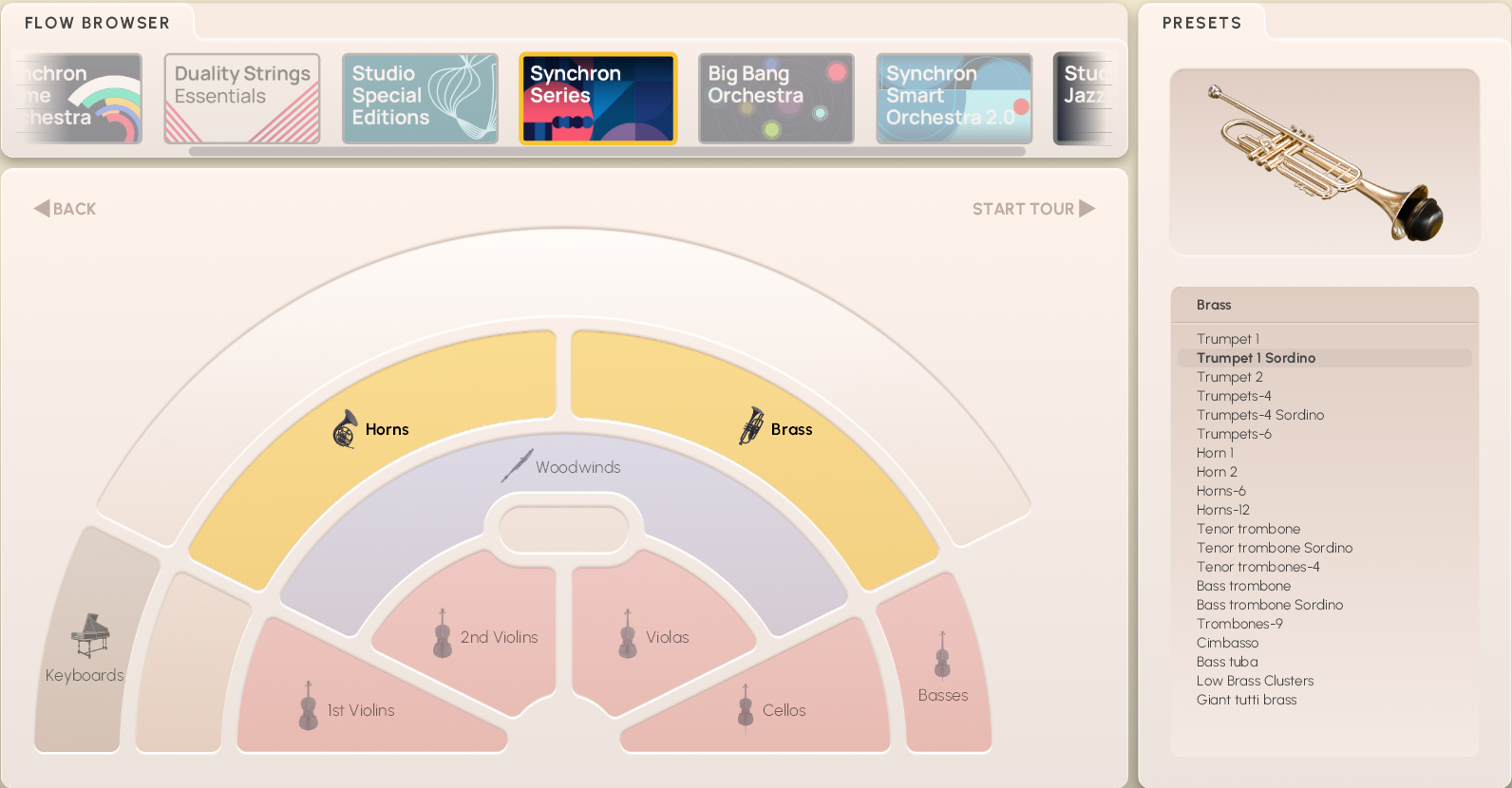
If you'd like to see the discussion of Flow Presets in the Synchron Player manual, go here.
Precision Presets comprise all recorded Patches of an instrument or ensemble in Articulation groups, which again contain Types of the respective Articulation, with further options if available. If you happen to be short of RAM, you can deactivate Articulations you do not need, and if necessary activate them again.
By default the Articulation keyswitches are mapped starting from C1 (for Middle C = C4) for instruments with higher pitch , and from C5 for lower ones.
Type keyswitches start from C2 for high instruments, and from C6 for low ones. The mappings of keyswitches for further options (e.g., speed) depend on the instrument, and will be listed there.
Dimension Controllers offer additional options within some Articulations or Types, most notably that of adding marcato attacks to long notes, or switching between vibrato variants with a small crossfading area. The controller function is indicated by the respective caption, as of course it may take on different tasks as needed.
There are three basic Preset types for every section, marked "VelXF sus", "VelXF", and "Velocity". In the first, velocity crossfading is activated for long notes and can be controlled with MIDI controller CC1, the modwheel, while the dynamics of short notes are controlled by keystroke velocity, thus facilitating phrasing. In the second, all articulations have velocity crossfading activated for MIDI CC1, while the third Preset reacts only to keystroke velocity. Velocity crossfading can always be enabled or disabled by clicking its on/off symbol in the Synchron Player's Perform tab.
The Synchron Player feature "Timbre Adjust" presents a great alternative and addition to Velocity XFade. It is an intelligent filter tuned to work with Synchron Brass, as it simulates dynamic changes without actually switching through the available velocity layers. It can be controlled with MIDI CC8.
The velocity split points of patches are:
2 Layers: 0–80, 81–127
3 Layers: 0–40, 41–100, 101–127
4 Layers: 0–40, 41–80, 81–100, 101–127
Short notes, long notes, legato, dynamics, fluttertongue and trills, and fast repetitions. Type slots containing copies of preceding articulations are inserted to keep consistency in merged presets.
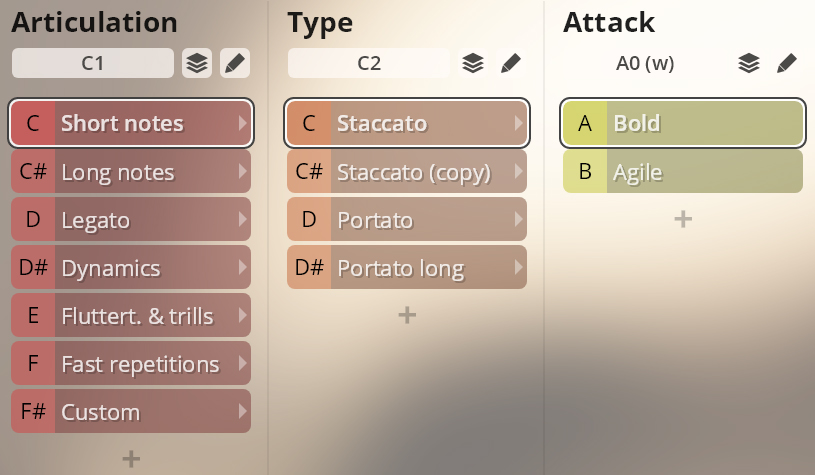
Short and long staccato, bold and agile; portato bold and agile; and portato long without and with vibrato.
Bold / Agile: A0/B0
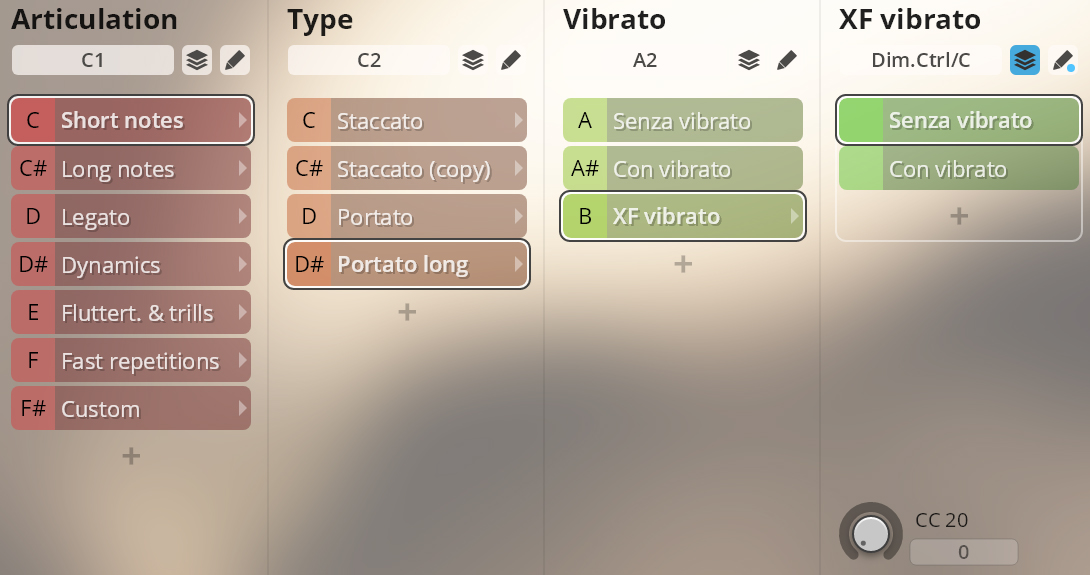
Portato long
Use keyswitches to switch vibrato, and MIDI CC20 to change between senza and con vibrato with a brief crossfading area.
Vibrato options: A2–B2
Vibrato XF: MIDI CC 20
Sustained notes, regular with a marcato attack option, and espressivo with and without vibrato.
Vibrato options: A2–B2
Vibrato crossfading: Dim.Ctrl/C (MIDI CC20)
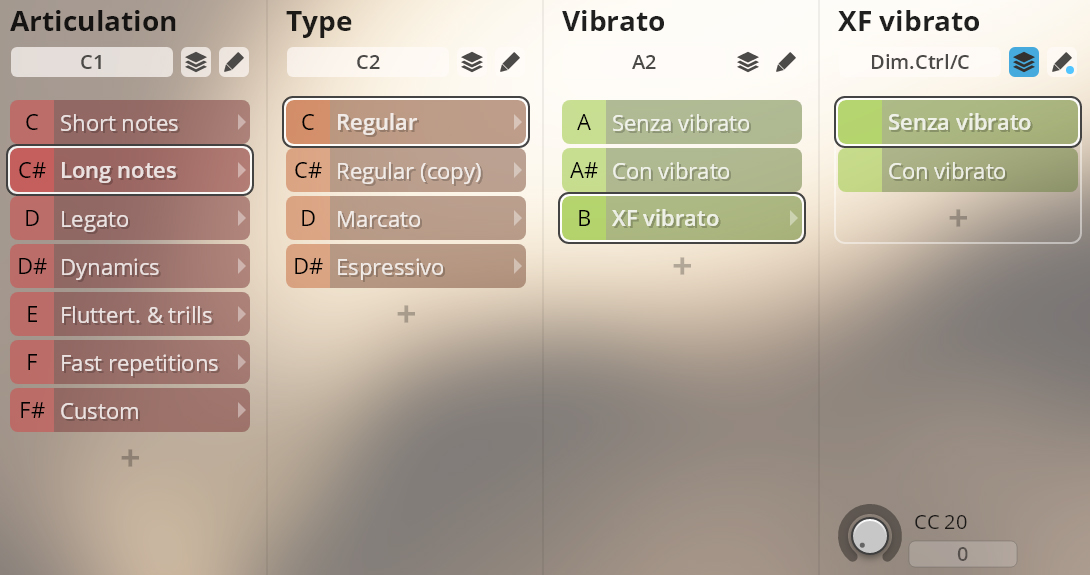
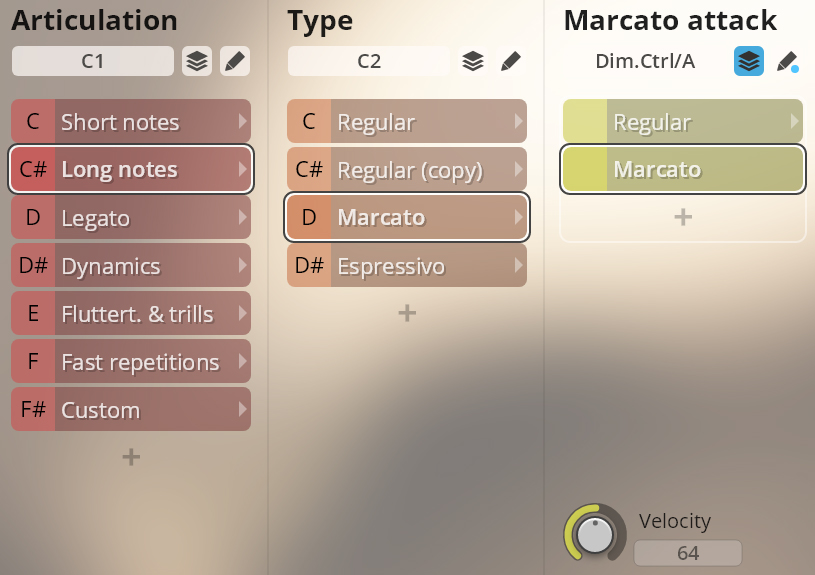
Marcato
Marcato intensity: Dim.Ctrl/A.
VelXF sus and VelXF Preset: keystroke velocity
Velocity Preset: MIDI CC3
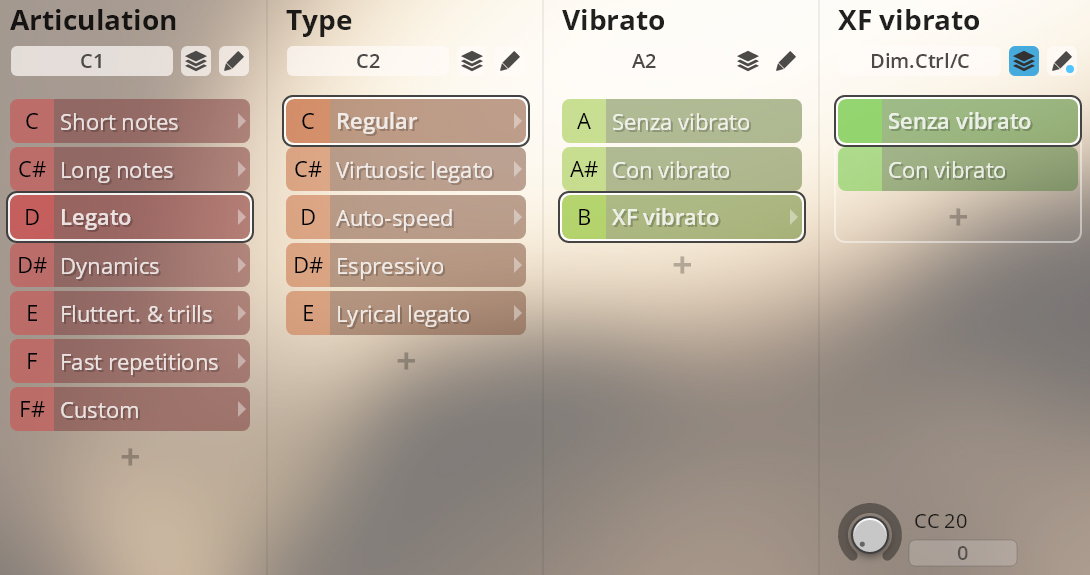
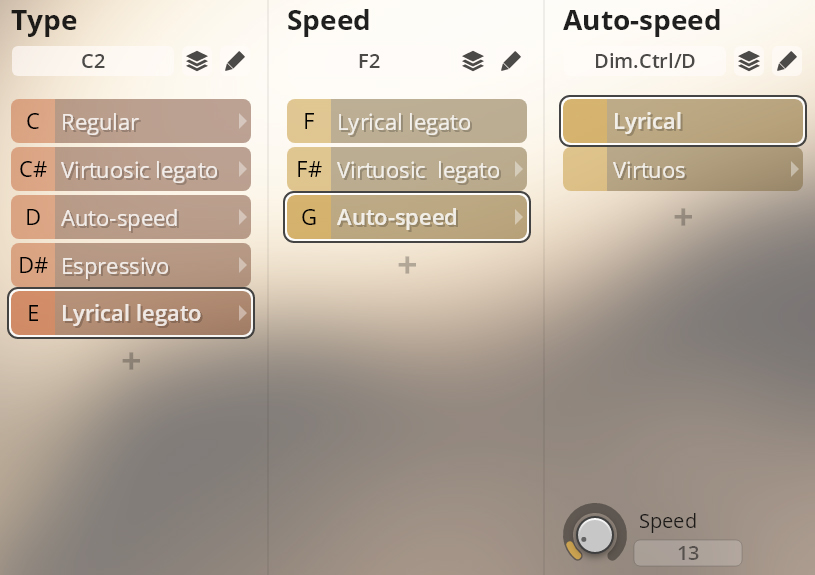
Legato regular, virtuosic, and espressivo with and without vibrato; lyrical legato. With autospeed options for regular/virtuosic and lyrical/virtuosic.
Vibrato options: A2–B2
XF vibrato: Dim.Ctrl/C (MIDI CC20)
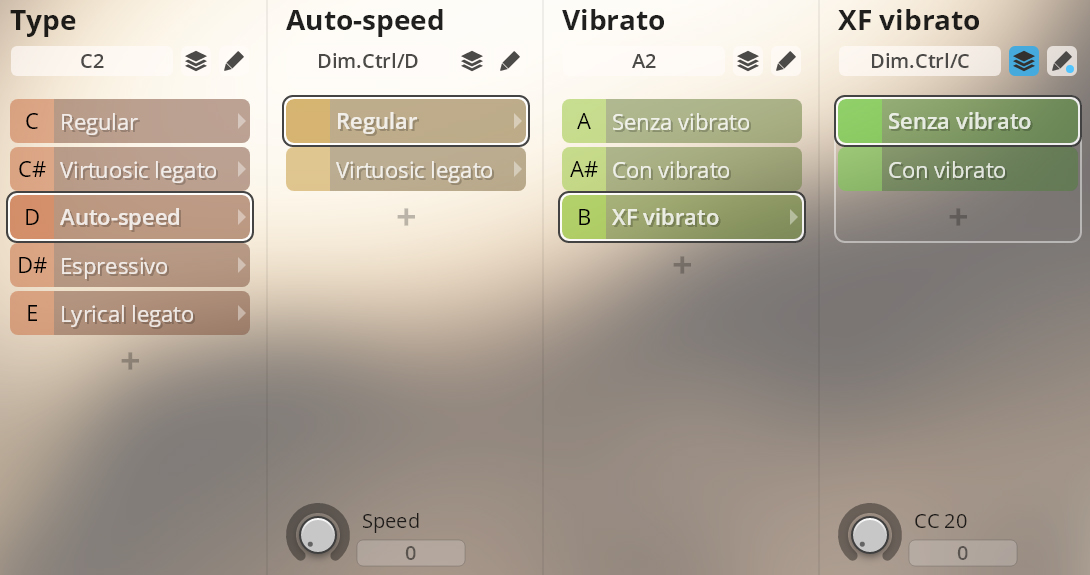
Auto-speed
This option implements a controller on Dim.Ctrl/D to switch automatically between regular and fast legato according to playing speed.
Speed controller: Dim.Ctrl/D (playing speed)
Lyrical legato has no vibrato options, but also offers auto-speed with virtuosic legato.
Auto-speed: Dim.Ctrl/D (playing speed).
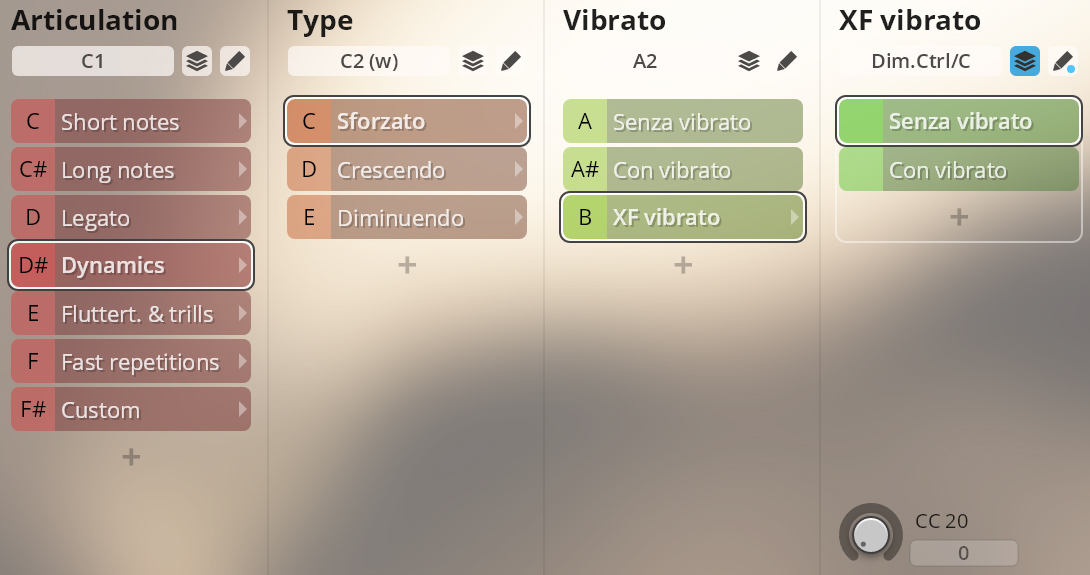
Sforzato and sforzatissimo; crescendo and diminuendo 2/3/4 sec. All with and without vibrato.
Vibrato options: A2–B2
XF vibrato: Dim.Ctrl/C (MIDI CC20)
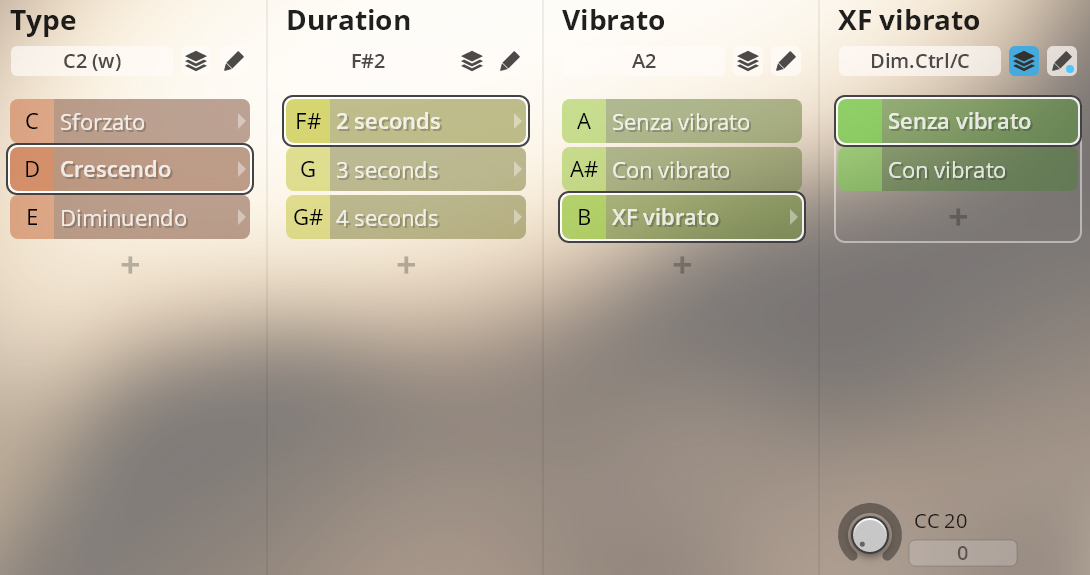
Crescendo, diminuendo
Duration: F#2–G#2.
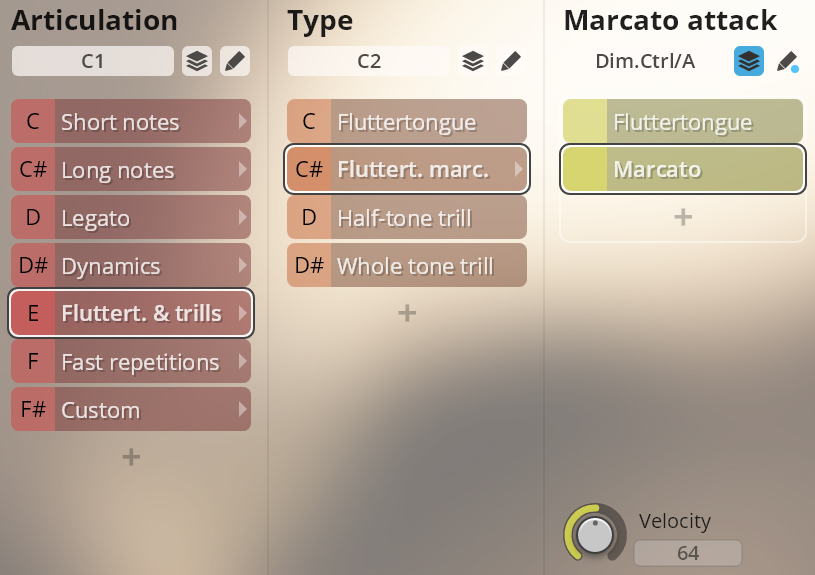
Fluttertongue, normal and marcato; half and whole tone trills.
Marcato intensity: Dim.Ctrl/A –
VelXF sus and VelXF Preset: keystroke velocity;
Velocity Preset: MIDI CC3
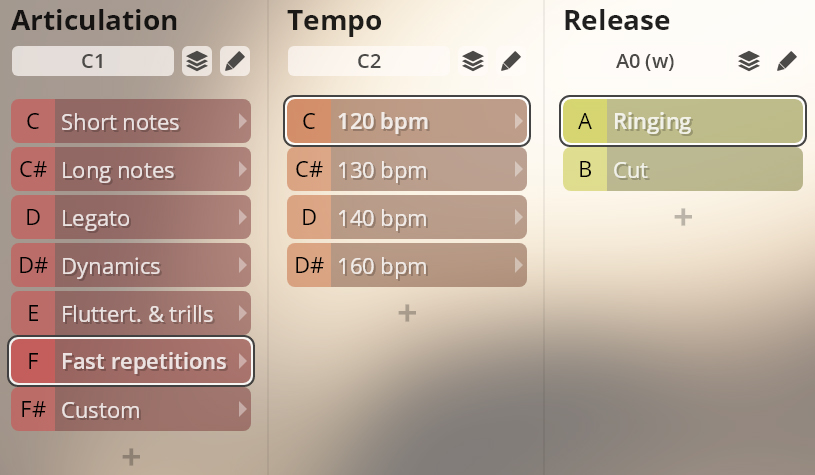
Fast repetitions, 120/130/140/160 bpm, with ringing and cut release.
Ringing/cut release: A0/B0
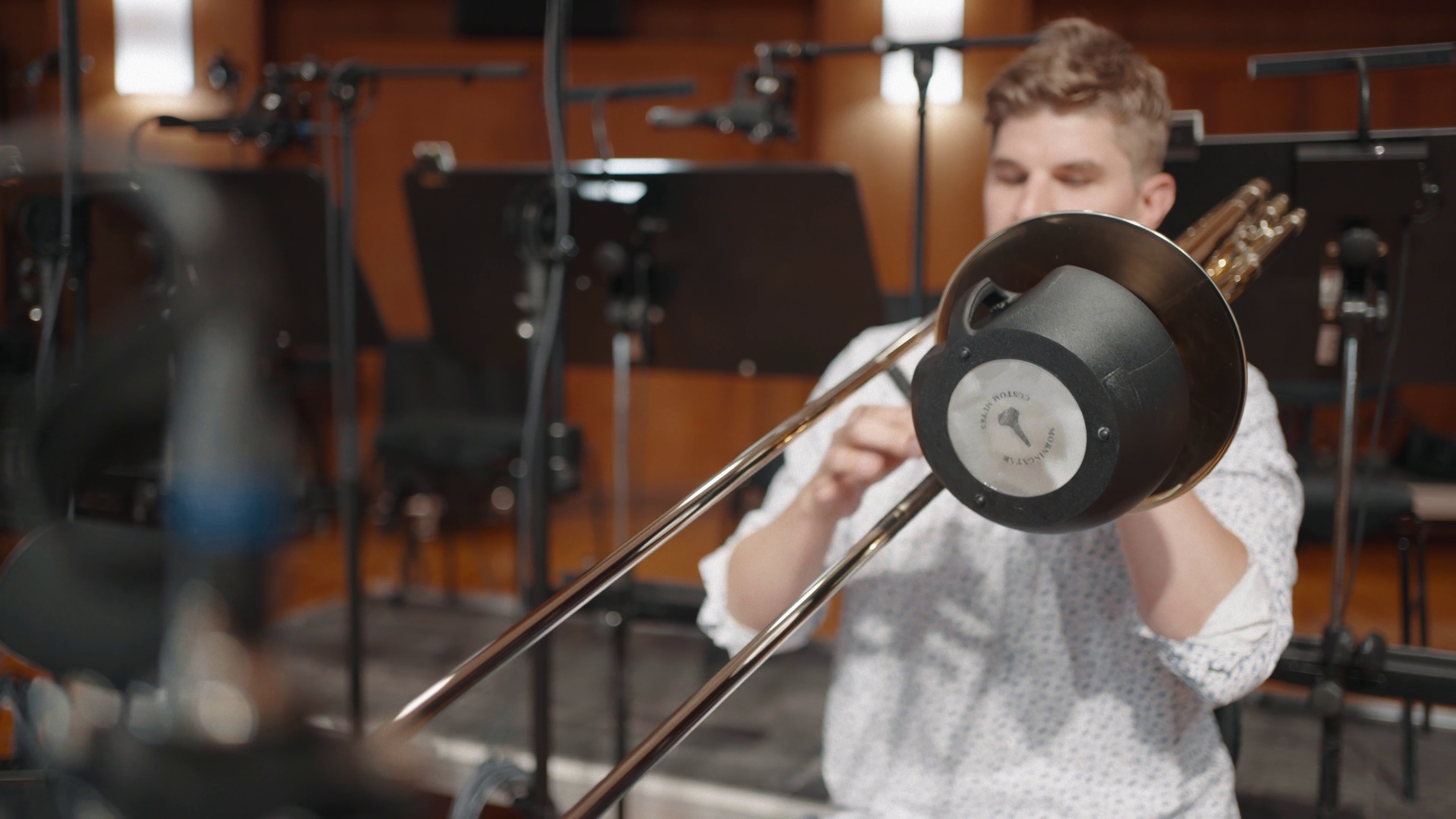
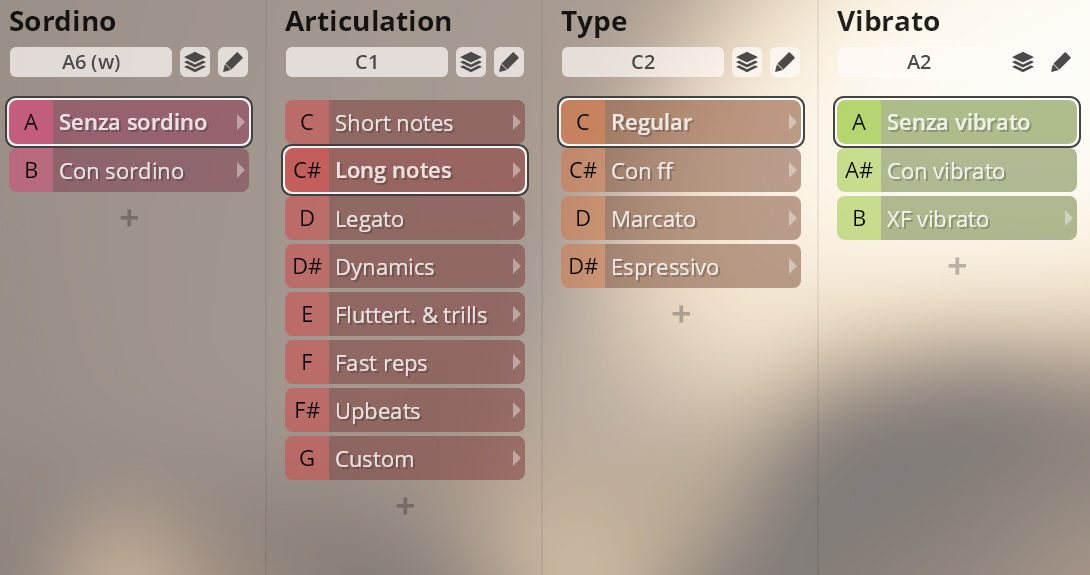
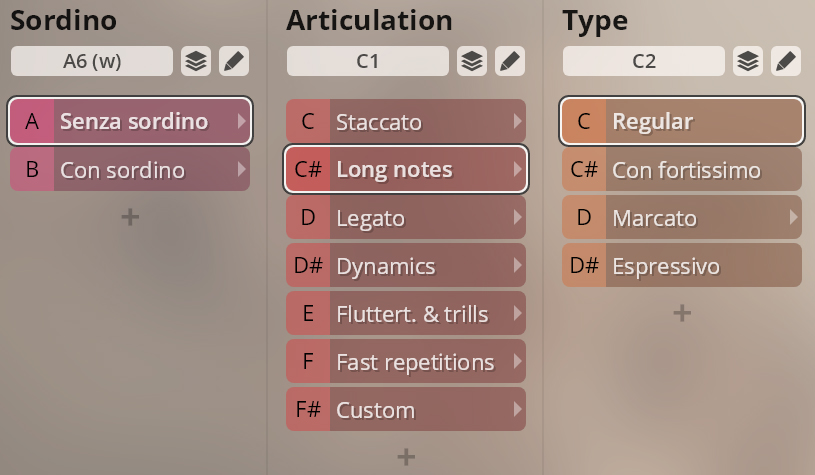
With some exceptions, Trumpet 1 and Trumpet 1 Sordino have the same articulations. If you own both instruments, you can use merged presets which allow you to switch between articulations without having to change your player instance.
Senza/con sordino: A6/B6.
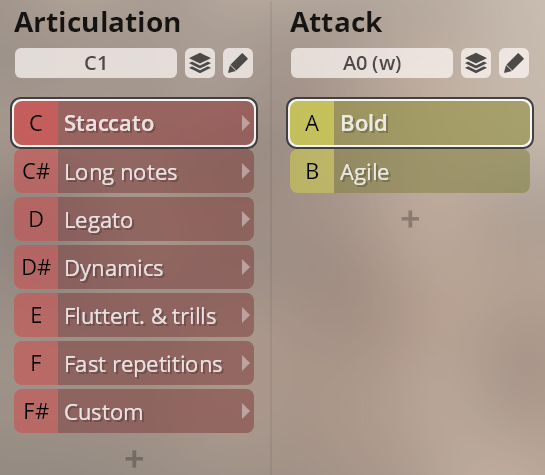
Staccato, bold and agile.
Bold / Agile: A0/B0
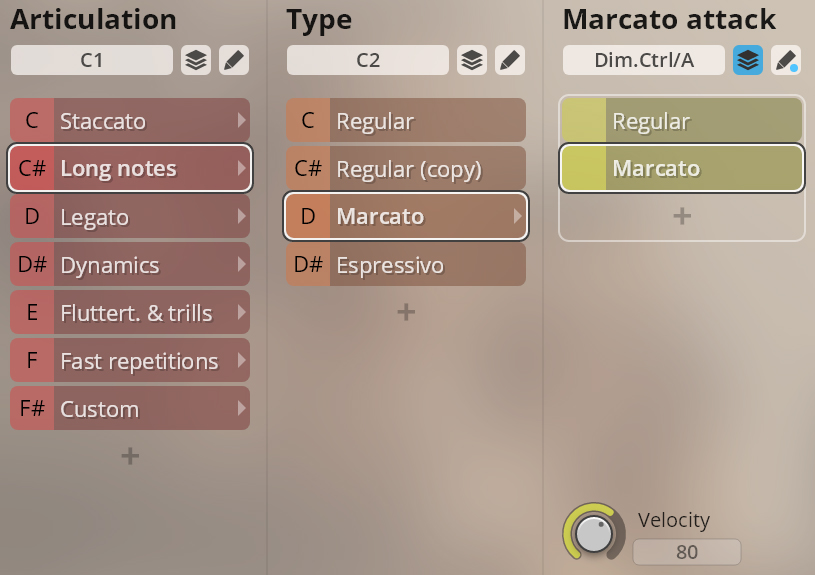
Sustained notes, regular and espressivo, with a regular/marcato attack option.
Marcato intensity: Dim.Ctrl/A
VelXF sus and VelXF Preset: keystroke velocity
Velocity Preset: MIDI CC3.
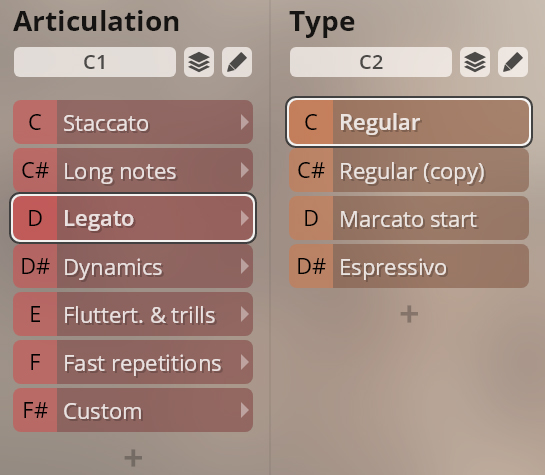
Legato regular, with marcato start, and espressivo.
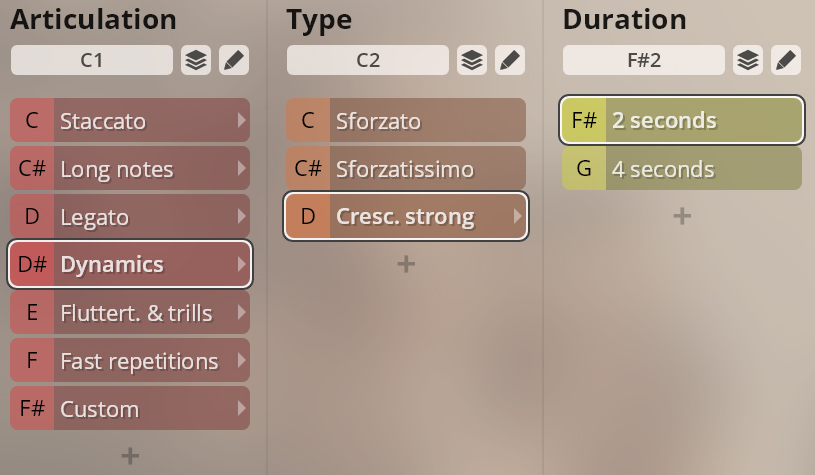
Sforzato and sforzatissimo; strong crescendo, 2/4 sec.
Crescendo duration: F#2/G2
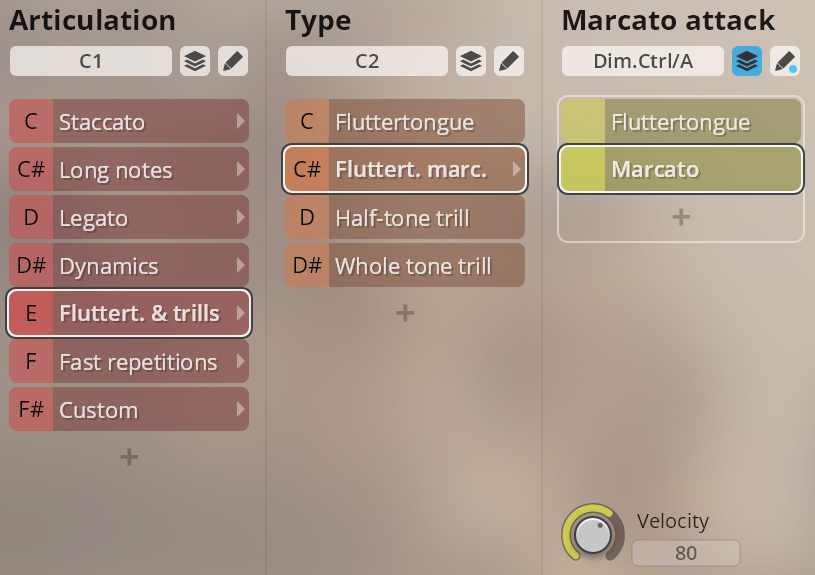
Fluttertongue, normal and marcato; half and whole tone trills.
Marcato intensity: Dim.Ctrl/A
VelXF sus and VelXF Preset: keystroke velocityVelocity Preset: MIDI CC3
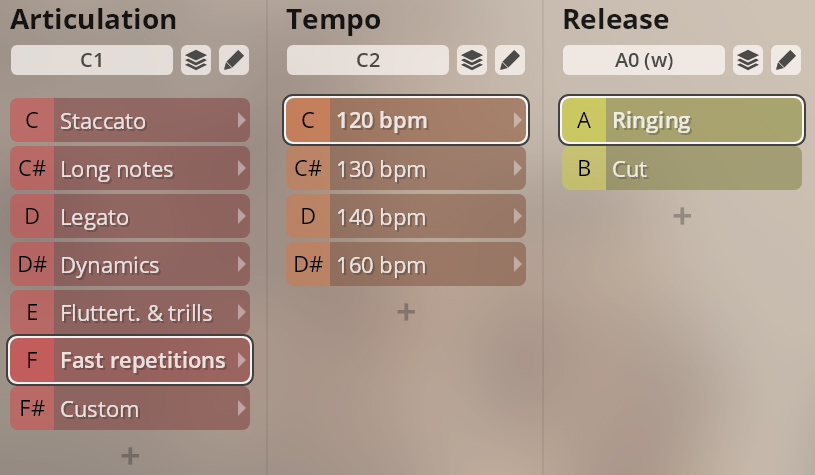
Fast repetitions, 120/130/140/160 bpm, with ringing and cut release.
Ringing/cut release: A0/B0
With some exceptions, Trumpet Ensemble and Trumpet Ensemble Sordino have the same articulations. If you own both instruments, you can use merged presets which allow you to switch between articulations without having to change your player instance.
Senza/con sordino: A6/B6.
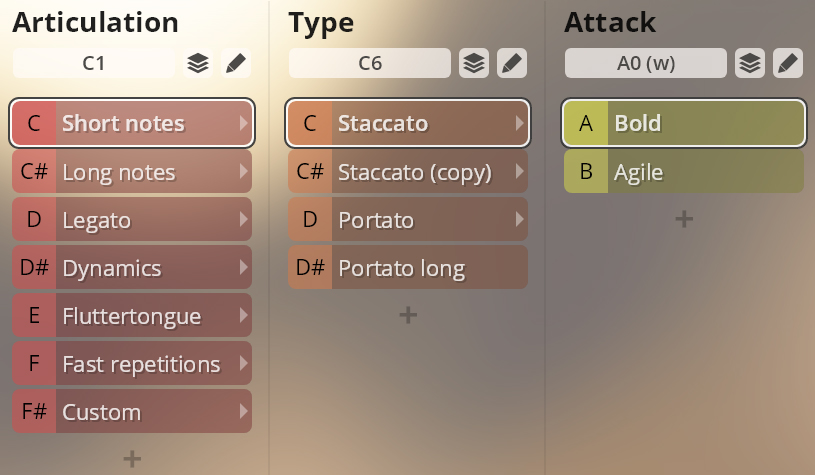
Short notes, long notes, legato, dynamics, fluttertongue, and fast repetitions. Type slots containing copies of preceding articulations are inserted to keep consistency in merged presets.
Articulation switches: tenor trombone C1–F#1; bass trombone C5–F#5
Type switches: starting at C6, white keys or chromatic depending on articulation.
Staccato and portato, bold and agile; long portato.
Bold / Agile: tenor trombone A0/B0; bass trombone A4/B4
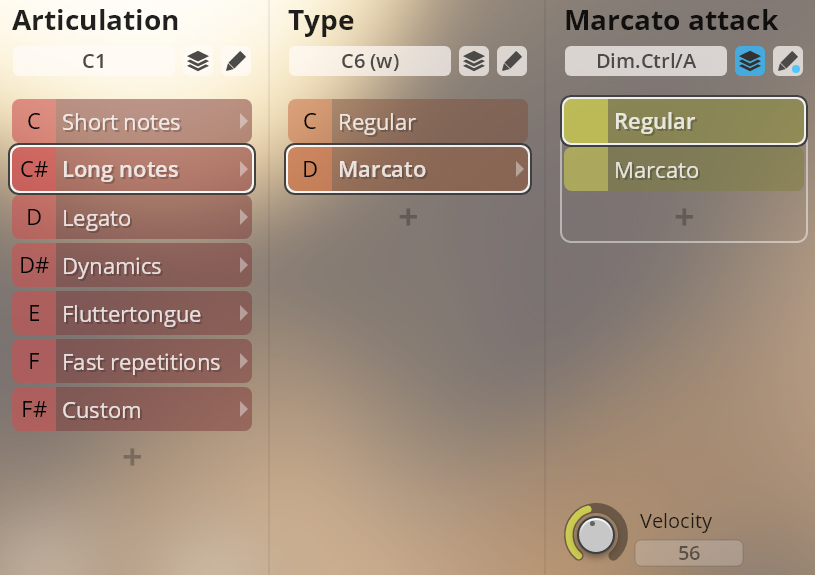
Sustained notes regular, and in a combination with marcato attack controlled by keystroke velocity.
Marcato intensity: Dim.Ctrl/A
VelXF sus and VelXF Preset: keystroke velocity
Velocity Preset: MIDI CC3
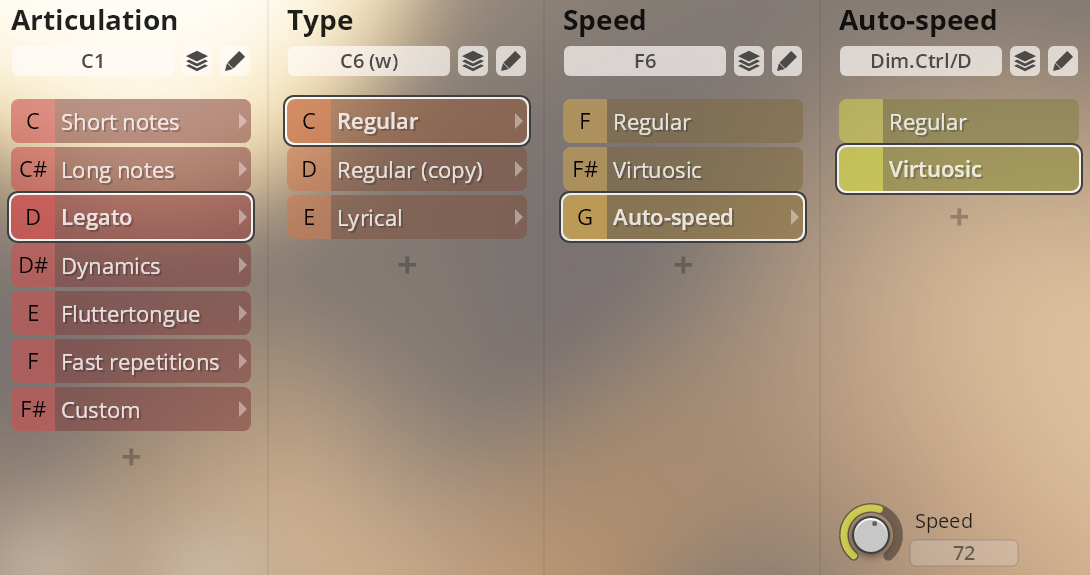
Regular, virtuosic, and lyrical legato. With an auto-speed option that implements a controller on Dim.Ctrl/D to switch between regular resp. lyrical and virtuosic legato depending on playing speed.
Speed options: F6–G6
Auto-speed: Dim.Ctrl/D (playing speed)
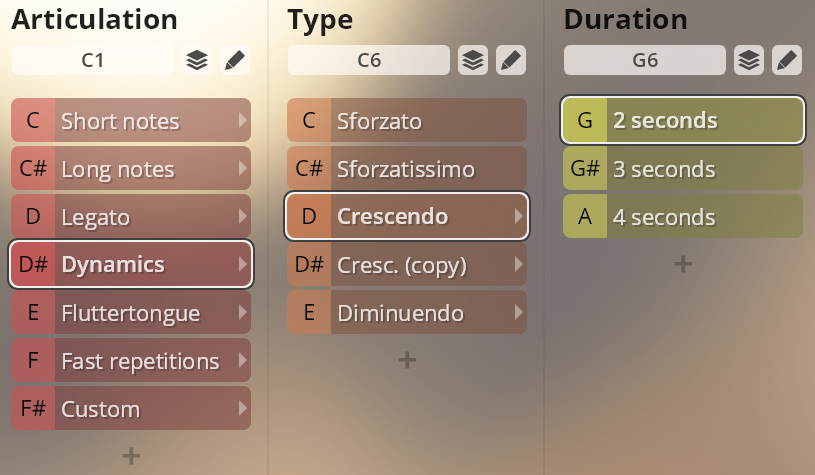
Sforzato and sforzatissimo; crescendo and diminuendo, 2/3/4 sec.
Crescendo/diminuendo duration: G6–A6
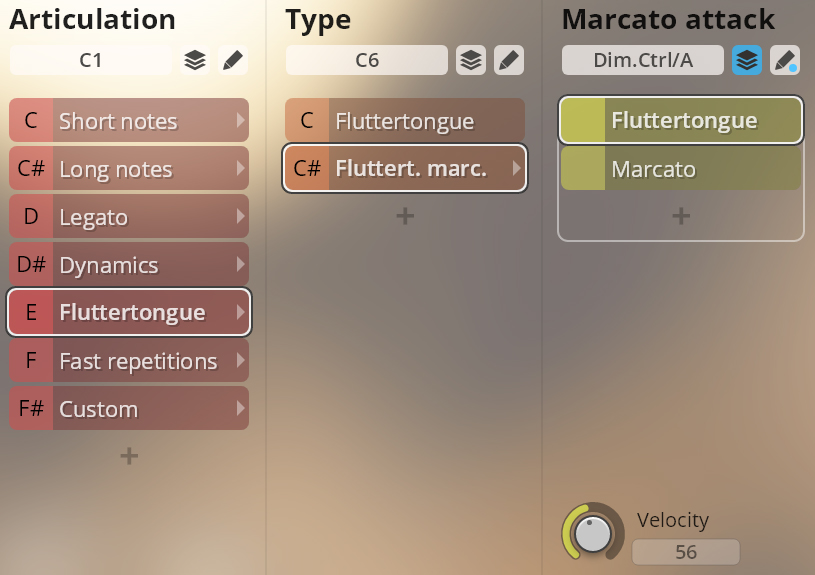
Fluttertongue, normal and with marcato attack.
Marcato intensity: Dim.Ctrl/A
VelXF sus and VelXF Preset: keystroke velocity
Velocity Preset: MIDI CC3
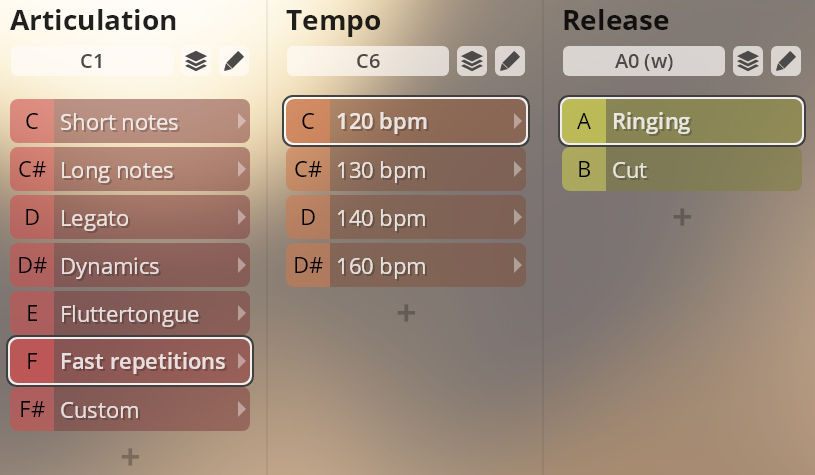
Fast repetitions, 120/130/140/160 bpm, with ringing and cut release.
Ringing/cut release: tenor trombone A0/B0; bass trombone A4/B4
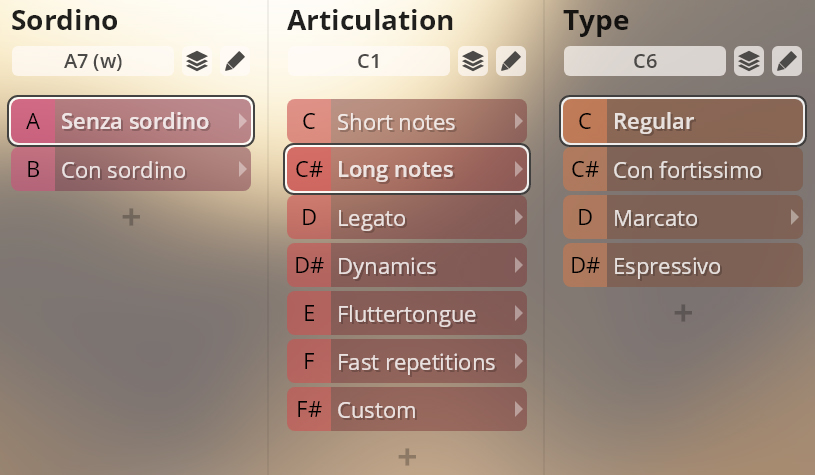
With some exceptions, the articulations of Tenor trombone and Bass trombone as well as their Sordino counterparts are the same. If you own both instruments, you can use merged presets which allow you to switch between articulations without having to change your player instance.
Senza/con sordino: A7/B7.
Short notes, long notes, legato, dynamics, fluttertongue, and fast repetitions. Type slots containing copies of preceding articulations are inserted to keep consistency in merged presets.
Articulation switches: C1–F#1
Type switches: starting at C6, white keys or chromatic depending on articulation
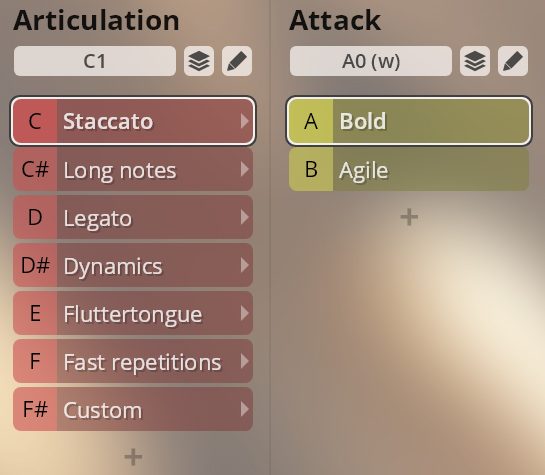
Staccato, bold and agile.
Bold / Agile: A0/B0
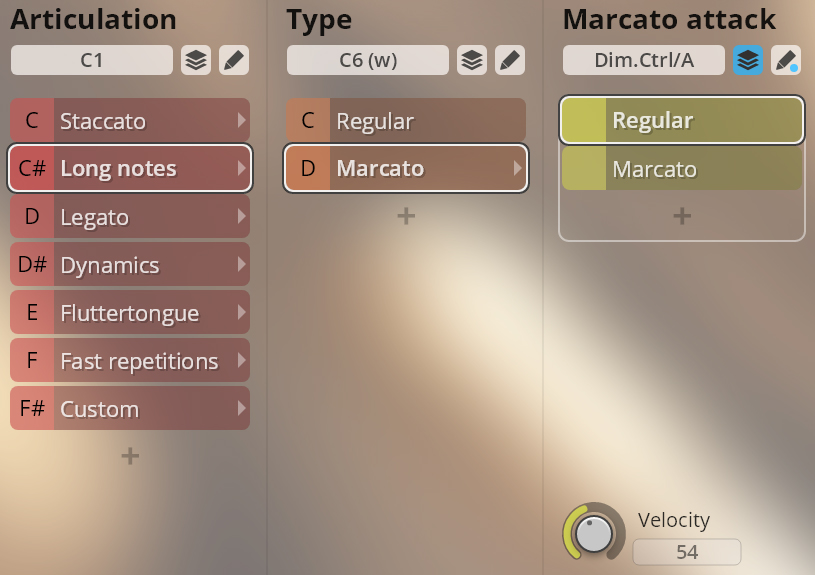
Sustained notes regular and with marcato attack. The marcato articulation adds a marcato attack depending on keystroke velocity.
Marcato intensity: Dim.Ctrl/A
VelXF sus and VelXF Preset: keystroke velocity Velocity Preset: MIDI CC3
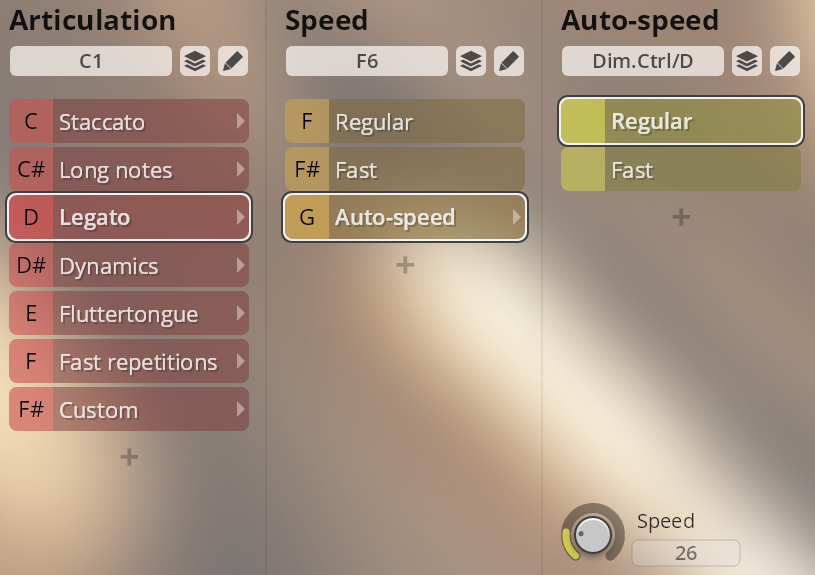
Legato regular and fast. The auto-speed option implements a controller on Dim.Ctrl/D to switch between the normal and fast legatos depending on playing speed.
Speed: F6–G6
Auto-speed: Dim.Ctrl/D (playing speed)
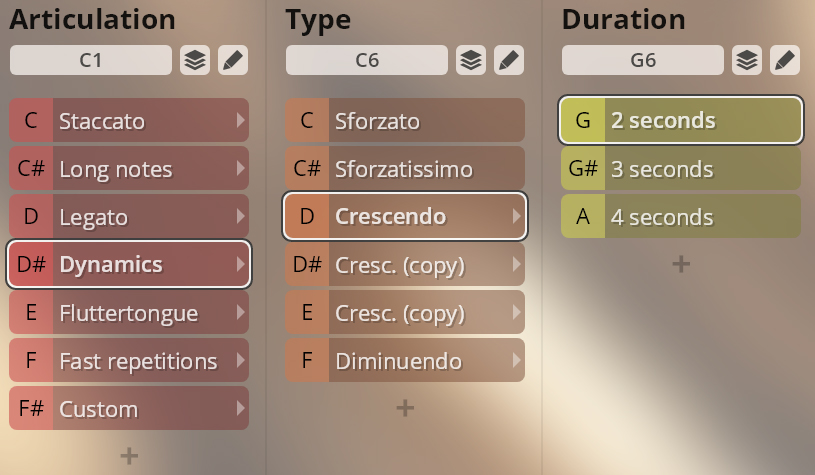
Sforzato and sforzatissimo; crescendo and diminuendo, 2/3/4 sec.
Cres/dim duration: G2–A2
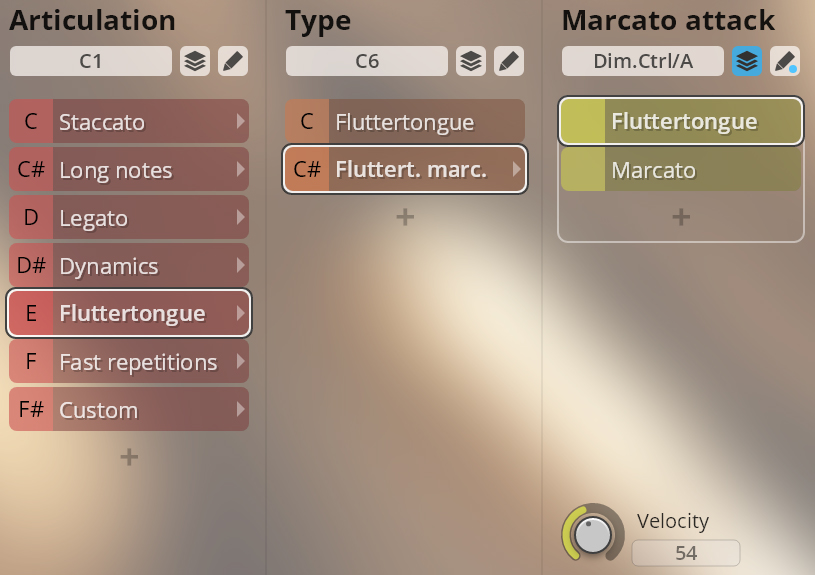
Fluttertongue, normal and with marcato attack.
Marcato intensity: Dim.Ctrl/A
VelXF sus and VelXF Preset: keystroke velocity
Velocity Preset: MIDI CC3
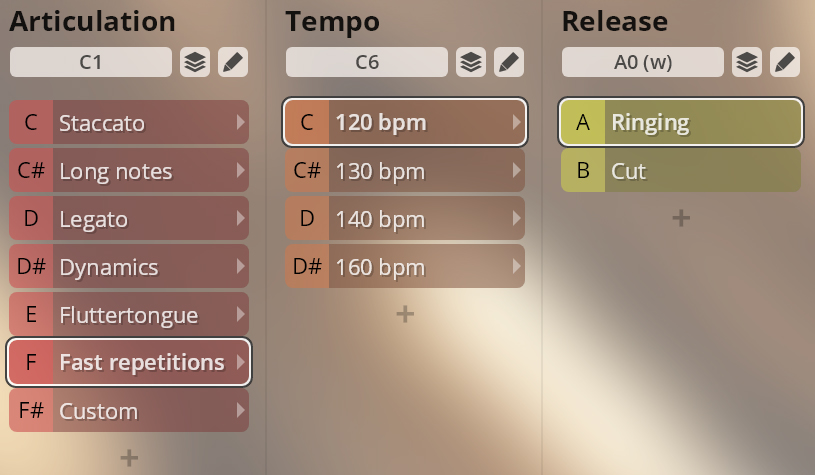
Fast repetitions, 120/130/140/160 bpm, with ringing and cut release.
Ringing/cut release: A0/B0
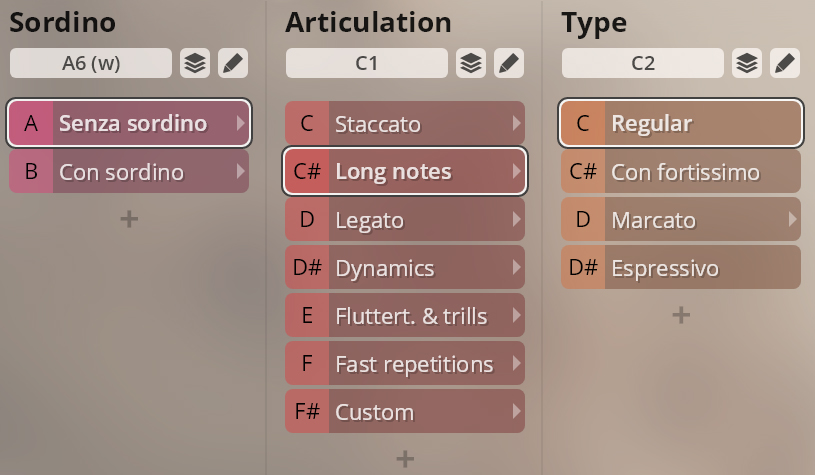
With some exceptions, the articulations of Trombone Ensemble and Trombone Ensemble Sordino are the same. If you own both instruments, you can use merged presets which allow you to switch between articulations without having to change your player instance.
Senza/con sordino: A6/B6
On this page
- Introduction
- Standard and Extended Library
- Mixer Presets
- Flow and Precision Presets
- Precision Presets
- Preset types
- Timbre Adjust
- Trumpet 1 Sordino
- Short notes
- Long notes
- Legato
- Dynamics
- Fluttertongue and trills
- Fast repetitions
- Trumpet 1 Merged
- Trumpet Ensemble Sordino (4 players)
- Staccato
- Long notes
- Legato
- Dynamics
- Fluttertongue and trills
- Fast repetitions
- Trumpets-4 Merged
- Tenor trombone Sordino, Bass trombone Sordino
- Short notes
- Long notes
- Legato
- Dynamics
- Fluttertongue
- Fast repetitions
- Tenor trombone Merged, Bass trombone Merged
- Trombone ensemble Sordino (4 players)
- Staccato
- Long notes
- Legato
- Dynamics
- Fluttertongue
- Fast repetitions
- Trombone Ensemble Merged