Welcome to the Vienna Symphonic Library’s series of Synchron Instruments! The instruments of this library were recorded at Stage A, the main hall of Vienna’s revitalized Synchron Stage Vienna, and Stage B, our smaller and more intimate studio. The recordings were executed using an expansive, phase-controlled multi-microphone set-up, capturing string effects played in a scoring stage with exceptional acoustics. This document will provide you with the information you need to use the Library with our Vienna Synchron Player.
True to its name, Synchron Duality Strings (ostinato) provides you with spiccato and détaché articulations, as well as a number of ostinato sequences constructed out of these.
The library offers two ensembles of every string section, a larger orchestral one and a smaller chamber one, playing and recorded simultaneously, but in different ambiences. The larger ensembles played at our renowned Synchron Stage A with its lush cinematic reverb, the same as you may be familiar with from our other Synchron collections. The smaller ensembles, however, were set up at Stage B, which has a much drier and crisper reverb environment.
This unique recording technique allows you to use the dual ensembles to fine-tune the sound of your compositions without having to layer different libraries, where the authenticity you can achieve is often less than you’d wish for.
For balancing your mix with the Synchron Player, Duality Strings Essentials provides Room-Mix and Mid stereo channels from Stage A, and Stage B’s “Dark” channel, enabling you to use the large and small ensembles in combination or separately!
Stage A | Stage B | total |
|---|---|---|
14 1st Violins | 8 1st Violins | 22 |
12 2nd Violins | 6 2nd Violins | 18 |
10 Violas | 5 Violas | 15 |
10 Cellos | 5 Cellos | 15 |
6 Basses | 3 Basses | 9 |
The microphone setup was subdivided into 10 recording positions. The Standard Library includes 5 of these positions (as well as a RAM-friendly Room Mix composed of merged samples from the individual positions), allowing you to integrate instruments recorded with a stereo Decca tree into your projects with our Synchron Player software that was designed exactly for that purpose. Adding the Extended Library and thus getting the Full Library expands your possibilities to 5.1 surround and Auro 3D 9.1, with the additional option of a microphone in the rear of the hall to expand your sound possibilities.
Microphone positions:
Standard Library
00. A - Room Mix – Stereo
01. A - Solo – Mono
02. A - Mid– Stereo (L/R)
03. A - Main – Decca Tree Stereo (L/R)
04. A – Main C – Decca Tree Mono (Center)
05. B - “Dark” microphones – Stereo (L/R)
Extended Library
06. A - Ribbon – Stereo (L/R)
07. A - Main Surround – Stereo (L/R)
08. A - High Stereo (3D) – Stereo (L/R)
09. A - High Surround (3D) – Stereo (L/R)
For each ensemble, there are a number of mixer presets that depict different recording situations. The basic Mixer Presets are Close, Classic, Wide, Distant, Ambience, Lush, and Lush Long. These are available in stereo versions for Room-Mix, Standard and Full, as well as in Surround. Moreover, there is a Special category, also for Standard and Full.
By default the classic room mixes are loaded which include the Standard Library microphone positions “Room-Mix” and “Mid” from Stage A, and “Dark” from Stage B. These are balanced in the stereo field to represent the respective instrument’s position in the Synchron Stage set-up.
The library also features mixer presets whose names end with "MST". These presets have settings in the master channel, making some of them better suited for long notes, and others better for the short note articulations. (All indicated in their naming.) "Universal Mode" are the all-rounders that work fine with long and short notes.
In the "Runtimes" variants of these MST presets, the nearer microphones are delayed in order to synchronize the audio signals of the close and room microphones.
The library provides two different kinds of Presets, accessible by clicking on the icons “Flow” resp. “Precision” in the Synchron Player’s top bar. Precision Presets are what you may already know if you own other VSL libraries. They allow you the explore the depths of the library, adjusting and tweaking parameters as you see fit. Flow Presets offer an intuitive, graphic approach to the library’s contents, with instrument, articulation, and sound parameters displayed in a single window once you have selected the Preset you want to load from the Flow Browser.
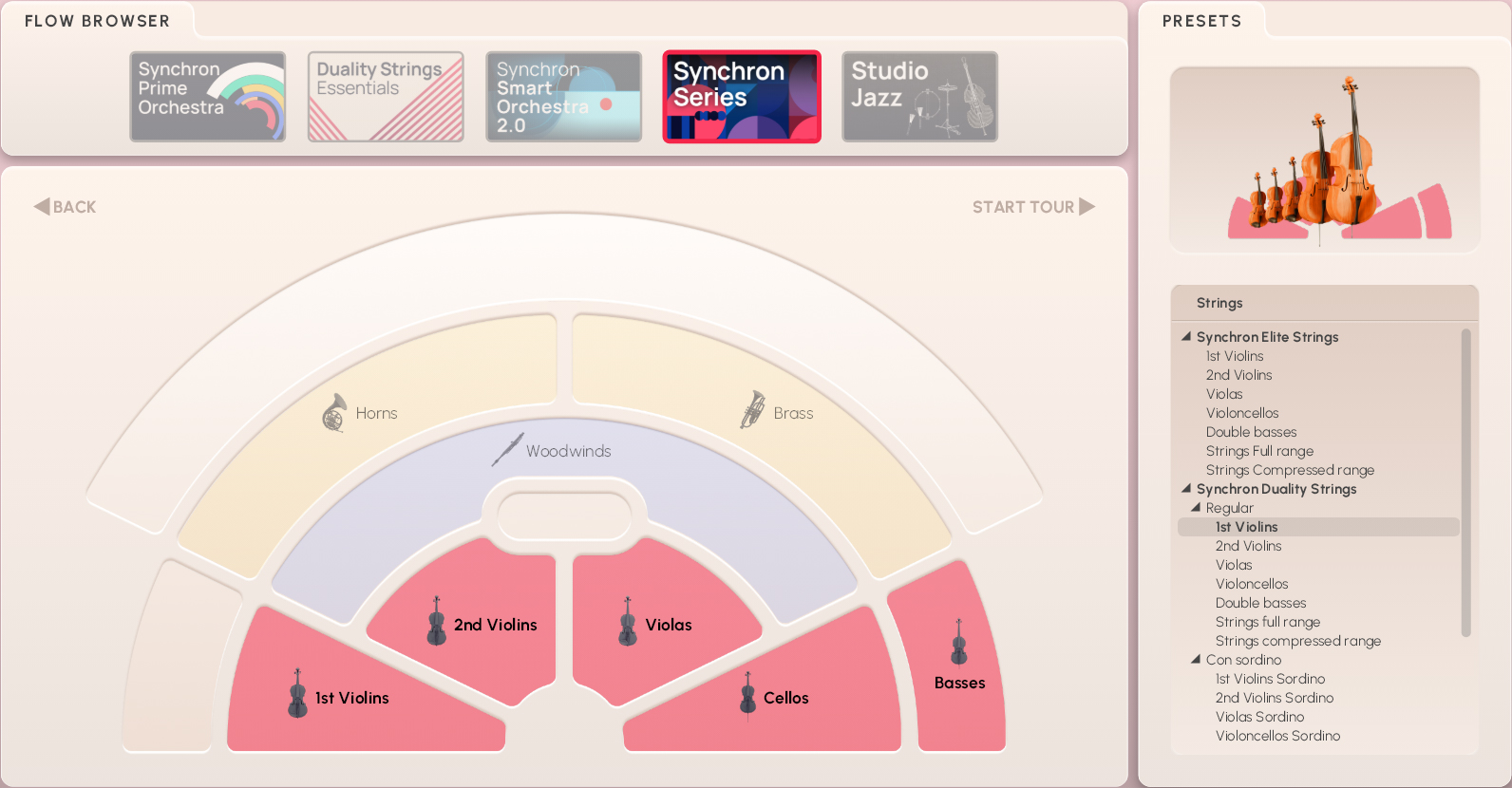
Precision Presets are what you already know if you own other VSL libraries. They allow you to explore the depths of the library, adjusting and tweaking parameters as you see fit.
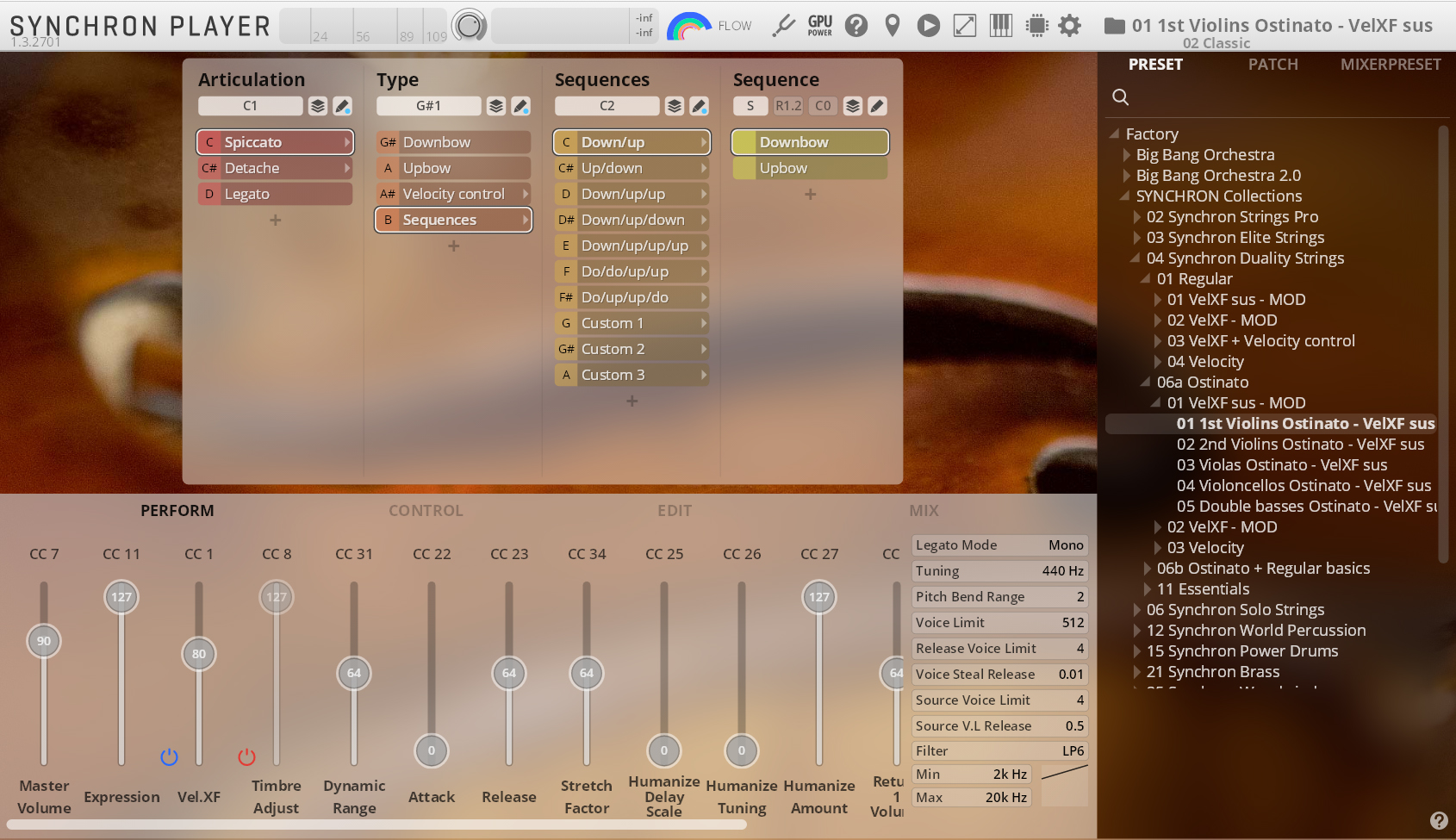
Flow Presets give you instant access to the most important parameters of an instrument, its articulations, and general sound settings in the Synchron Player’s Flow view. The display is subdivided accordingly, with the graphic keyboard underneath. On the Flow Browser page, you can click on “Start Tour” to step through explanations of the different Flow elements and parameters. Alteratively, you can click on the Info Hub icon in the upper right corner of the instrument pane, where you can start the tour or connect to our online instrument academy.
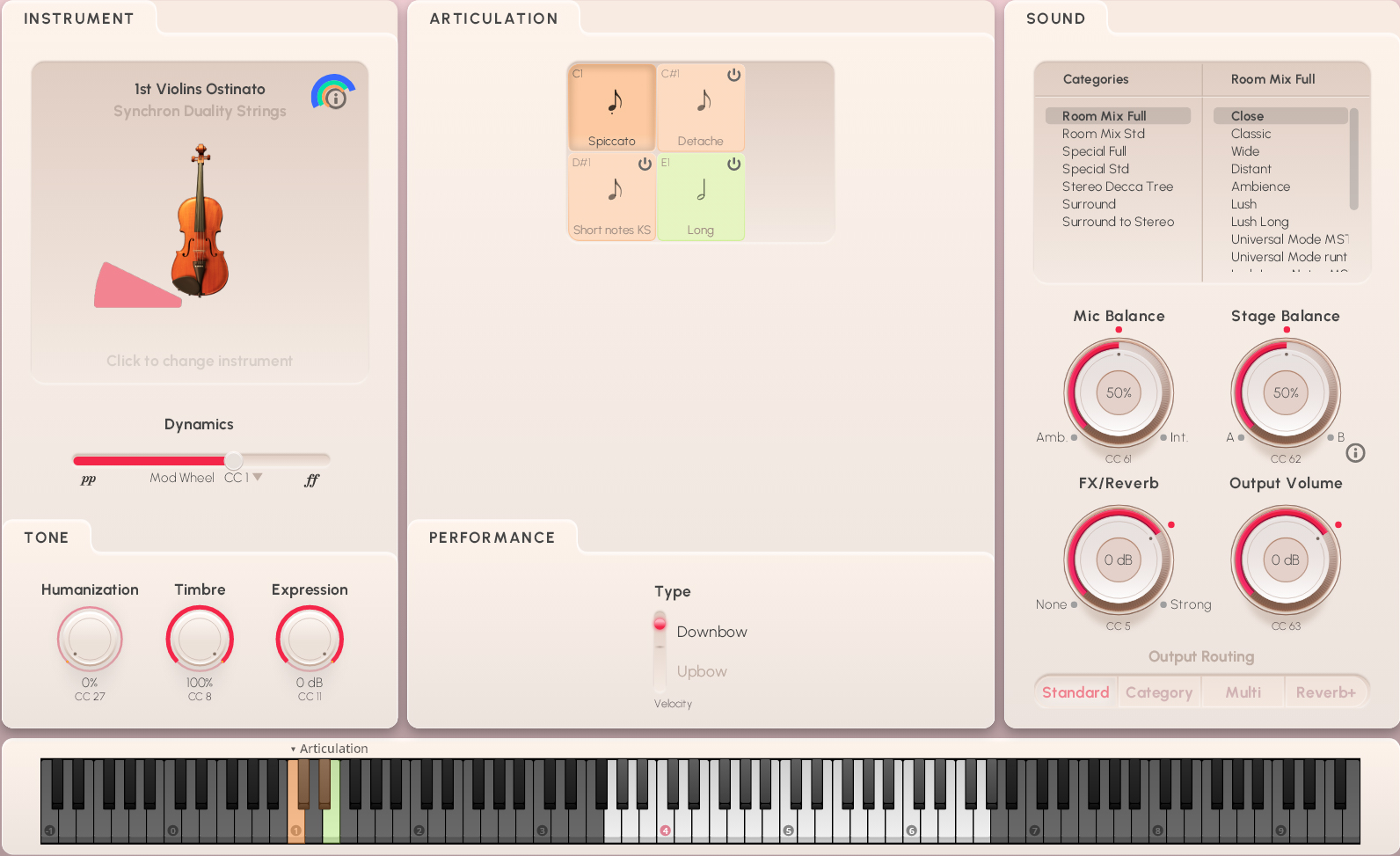
The Instrument section shows a symbolic image of the selected Instrument, headed by the name of the loaded Preset. You can return to the Flow Browser to select another instrument by clicking on the field.
The Dynamics fader under the instrument is set to the modwheel (MIDI CC1) or keystroke velocity by default – with all articulations in this library, it is the modwheel, meaning that you can influence the volume of a note being played by changing the controller value. You could also set it to a breath controller (MIDI CC2), leaving your hand free for other stuff. Only the articulation “Short notes KS” uses keystroke velocity to control dynamics.
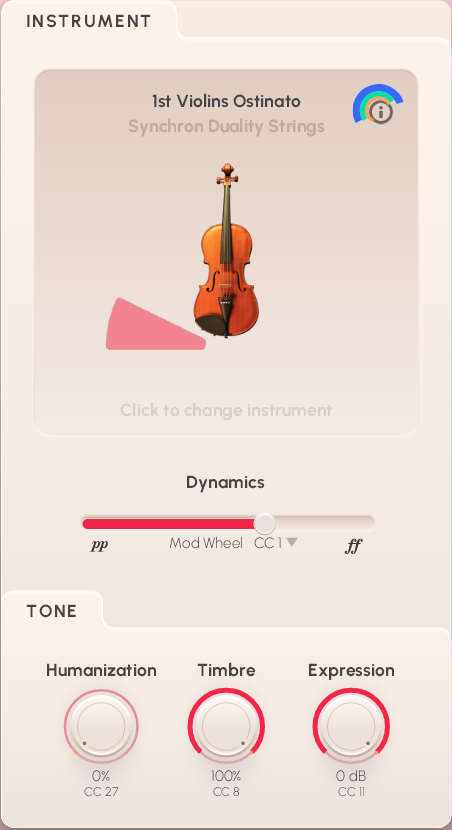
In the Tone field, you get access to three other items which may be an important factor in making your piece sound truly alive:
Humanization (MIDI CC27) introduces slight inaccuracies in intonation during the attack phase as an often welcome element of imperfection. Higher percentage, less accuracy!
Timbre (MIDI CC8) affects the tone of the instrument, making it sound brighter or darker.
Expression (MIDI CC11) is an additional volume control defining a percentage of CC7 (volume), and can be used for automation.
The Articulation pane holds all the samples, so to speak. In the upper field, you see the possible choices with their keyswitches, which are also marked on the Synchron Player’s virtual keyboard. Of course, you can also click on a button to switch to that articulaton.
The articulation buttons are color-coded: orange for short notes, green for long ones, and blue (not present in this library) for the Universal articulation that allows you to perform without keyswitching.
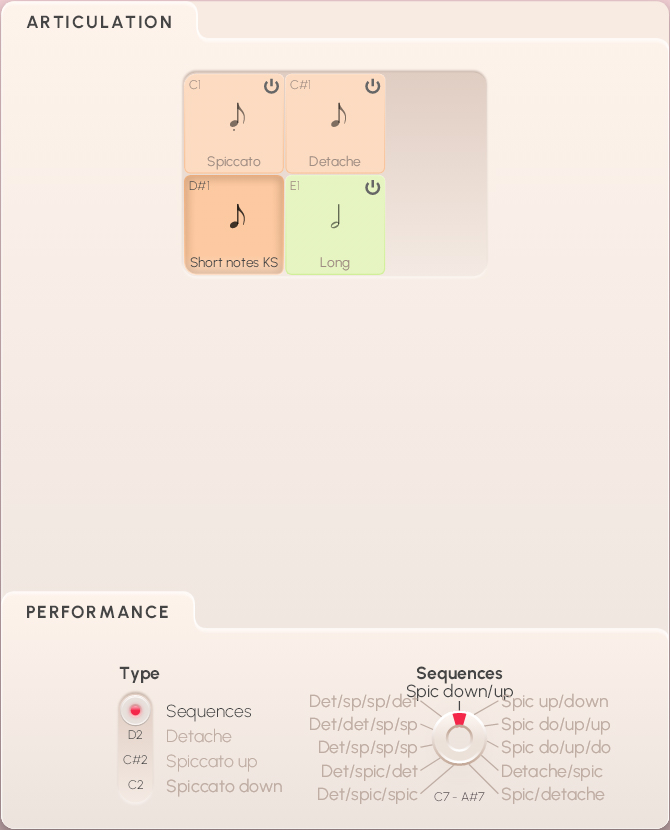
The Performance field contains all the playing variants of the selected articulation:
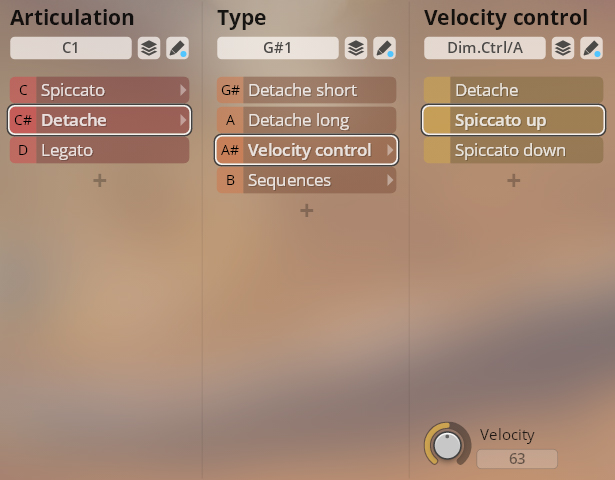
Spiccato and détaché Type is controlled by keystroke velocity, allowing you to switch between upbow and downbow (spiccato), and spiccato up/down and détaché with the détachés.
Short notes KS Type uses keyswitches to change between spiccato up/down, détaché, and sequences. If sequences are selected, another option is displayed:
Different Sequences of two to four articulations are accessible with keyswitches C7–A#7.
The library also has another set of presets available if you also have Duality Strings (regular) which combines the two, so that you can use both within one preset.
In the Sound pane, you can select a basic Category on the top left, and one of the Mixer Presets from that category on the right.
Mic Balance (MIDI CC61) adjusts the relation between intimate and ambient microphoning.
Stage Balance (MIDI CC62) is a special feature of Dimension Strings, and determines the relative amounts of the two recording stages, stage A and stage B.
FX/Reverb (MIDI CC5) sets the amount of reverb, which is different in intensity according to the selected preset.
Output Volume (MIDI CC63) takes care of how much of what you do comes out of the Synchron Player.
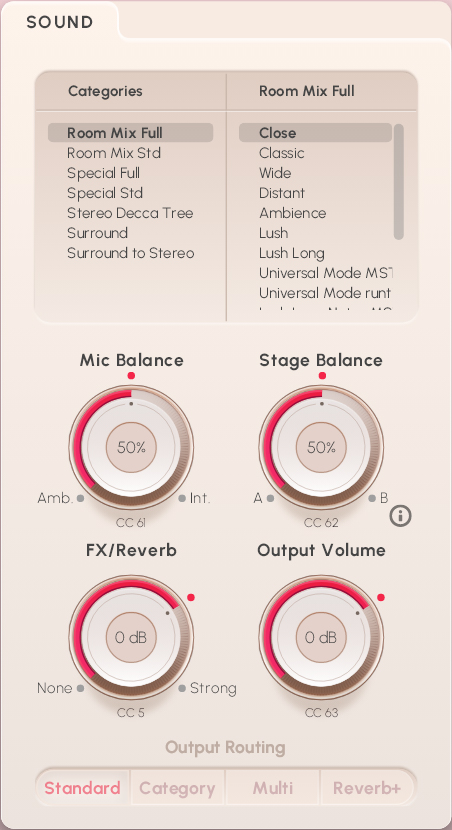
Finally, there is the choice of Output Routing represented by the four buttons Standard, Category, Multi, and Reverb+:
Standard is the standard Stereo configuration where all microphones are routed to the master output.
Category: here, only the ambient microphones are routed to the master output, while close microphones go to ouput 2,
Multi routes all microphones to different outputs.
Master out – Main, Room-Mix, Reverb
Output 2 – Main-Center
Output 3 – Surround
Output 4 – High-Surround
Output 5 – Mid
Output 6 – CloseReverb+ is routed like the Multi configuration, but has the Reverb channel routed to its own output 11.
If you’re not sure about the routing options, click on the information button next to the heading, which also provides graphic information on routing paths.
Precision Presets comprise an instruments’ recorded Patches in Articulation groups, which again contain Types of the respective Articulation, with further options if available. If you happen to be short of RAM, you can deactivate Articulations you do not need, and if necessary activate them again.
The keyswitches for Articulations are mapped from C1 to D1 for higher instruments, and from C5 to D5 for the double basses. Type keyswitches go from G#1–B1, and from G#5–B5 for the basses.
Articulations: violins, violas, cellos C1–D1; basses C5–D5.
Type: violins, violas, cellos G#1–B1; basses G#5–B5.
Sequences: violins, violas C2–A2; cellos, basses C6–A6.
In the player's Preset browser, you will find two main sections for Duality Strings (ostinato): the first one is listed under 06a Ostinato and employs only the content of the ostinato library itself. The other one is named 06a Ostinato + Regular basics and can be used by owners of Duality Strings (regular) to get access not only to the ostinato content, but also to a choice of regular articulations combined in one preset.
There are three basic preset types for every section in separate folders named “VelXF sus - MOD”, “VelXF - MOD”, and “Velocity”. In VelXF sus Presets, velocity crossfading by modwheel is only activated for long notes, while the dynamics of short notes are controlled by keystroke velocity, thus facilitating phrasing. In VelXF Presets, all articulations have velocity crossfading activated so that you can control dynamics with MIDI controller CC1, the modwheel.
Velocity crossfading can be enabled or disabled by clicking its on/off symbol in the Synchron Player's Perform tab, or you can use the Velocity Preset where the dynamics are generally controlled by keystroke velocity.
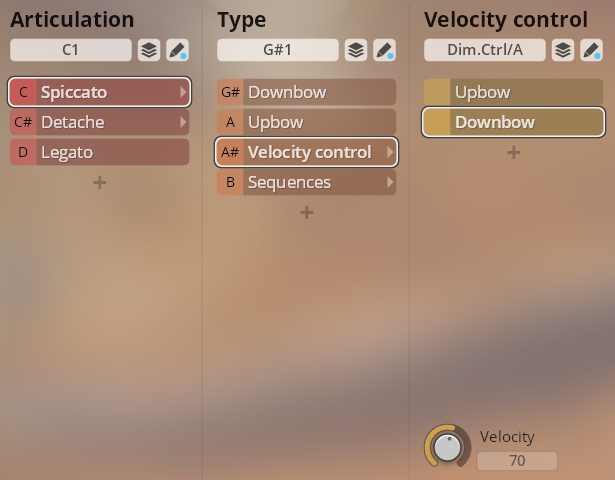
Spiccato
Upbow and downbow spiccato.
Upbow/downbow switch: Dim-Ctrl/A, keystroke velocity.
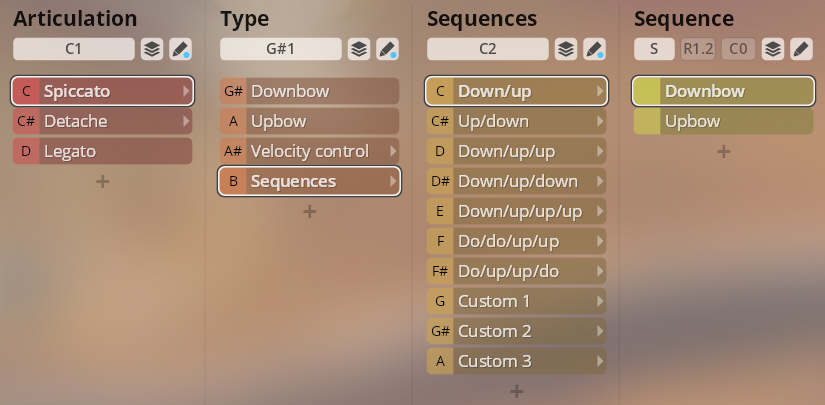
Sequences
Use keyswitches to change sequences of two to four upbow/downbow actions. The three “Custom” slots allow you to devise sequences of your own.
Sequence selection: violins, violas C2–A2; cellos, basses C6–A6.
Détaché
Détaché short and long, and spiccato up and down.
Spiccato up/down/détaché: Dim-Ctrl/A, keystroke velocity.
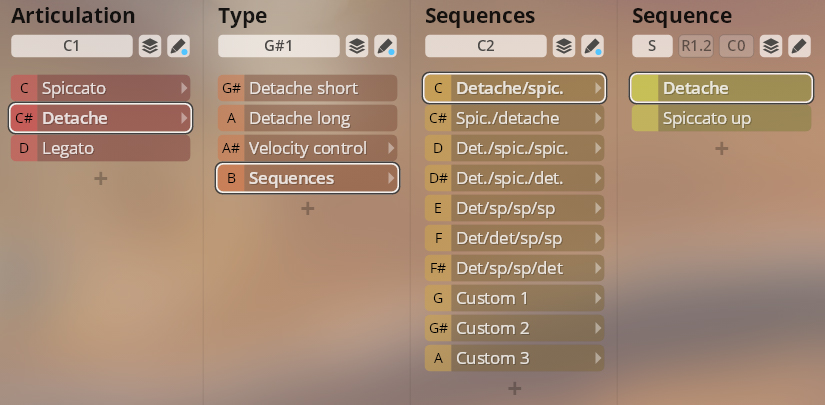
Sequences
Use keyswitches to select sequences of two to four détaché and spiccato articulations. The three “Custom” slots allow you to devise sequences of your own.
Sequence selection: violins, violas C2–A2; cellos, basses C6–A6.
These presets implement the articulations of Duality Strings (ostinato) as well as selected articulations of Duality Strings (regular). The basic structure is the same as above, with the additional articulations – sforzato, tremolo and trills, pizzicato, and harmonics – mapped to further keyswitches.
Articulation: violins, violas, cellos C1–G1; basses C5–G5.
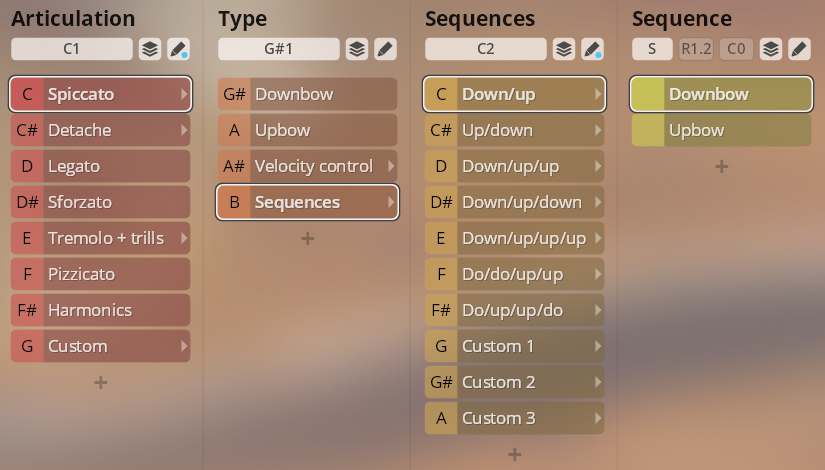
The “Custom” articulation does not yet contain any patches. It provides 6 slots ready for you to configure presets of your own.