
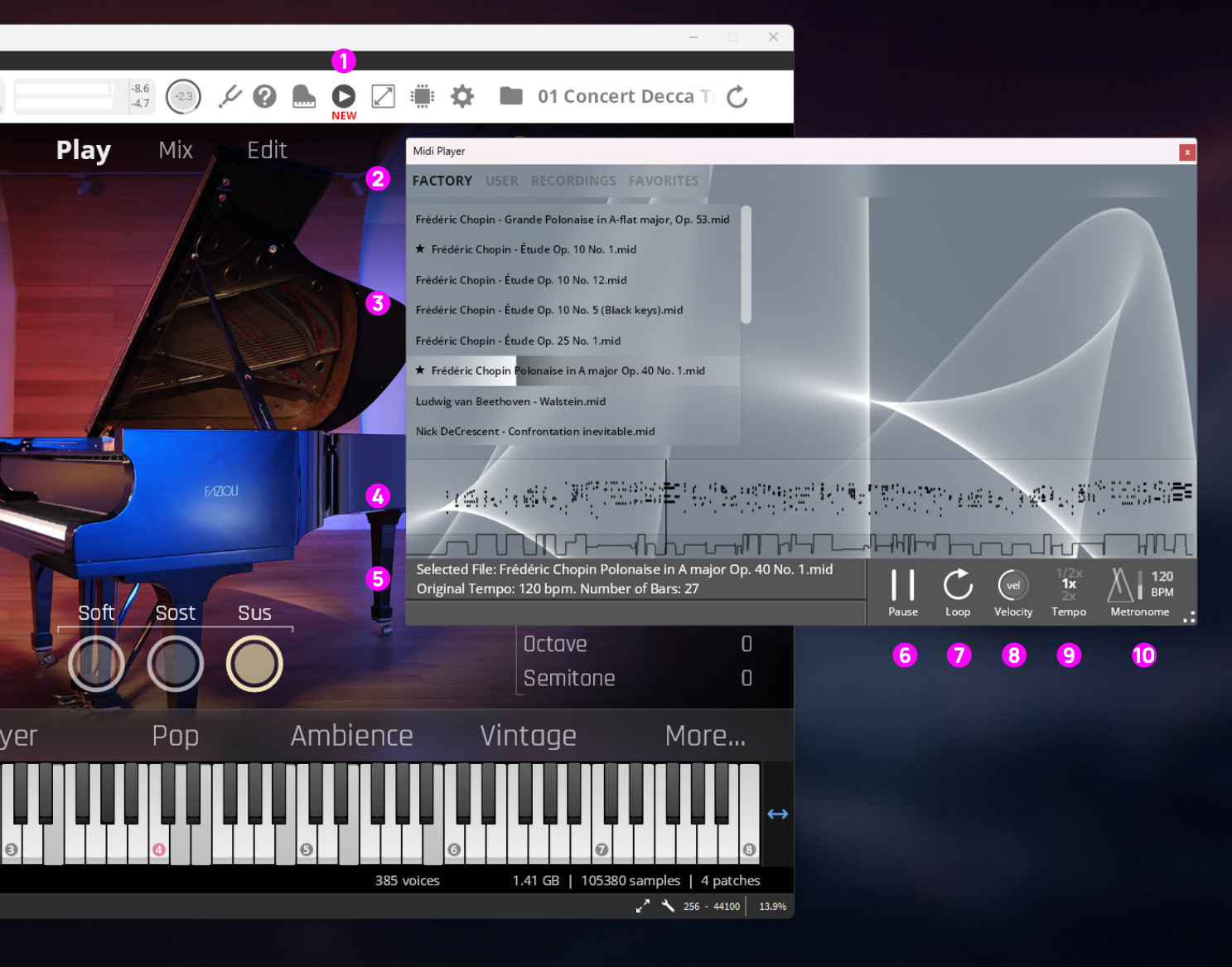
MIDI Recorder/Player Icon: Click to open the MIDI Recorder/Player.
Standalone only: Red dot indicates recording. Minimum notes played: 5File Selection Menu: Factory offers MIDI performances, User shows manually imported MIDI Files, Recordings shows recordings made in Standalone mode, Favorites shows all files marked as favorites.
File List: All files of the selected tab.
Piano Roll Preview: Shows a quick overview. Regions can be selected.
File Details: File name, tempo and number of bars.
Play/Pause Button: Activate with space-bar or mouse click.
Loop On/Off: Activate/Deactivate Looping (will also work in marked regions).
Velocity: Fine-tune the dynamics of your performance.
Tempo Multiplier: Select half-speed, normal speed and double speed.
Metronome:Activate a metronome, adjust the tempo with mouse up/down and adjust the volume with the slider.
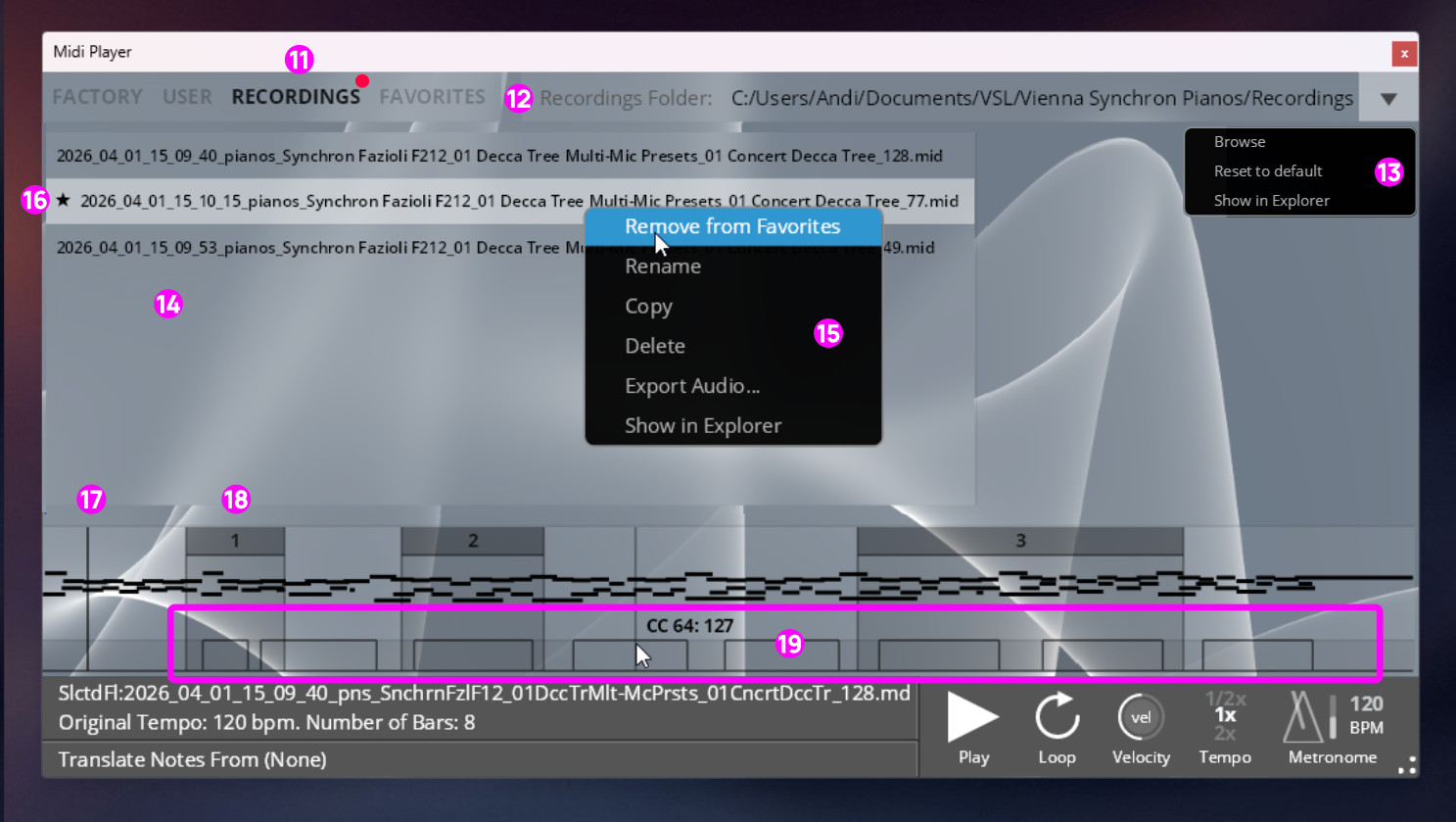
Recordings Tab: All music you play in your Standalone Synchron Piano will be listed here. 5 notes minimum, closed after 5 seconds of silence.
Recording Folder: Shows the location of your recordings.
Recording location: Can be adjusted here
List of Recordings: All your performances, with time-stamp and piano description.
Context menu: Make a performance a favorite, rename it, copy or delete it. Additionally, you can export audio as WAV files.
Favorite: A star indicates a favorite file.
Playhead: Indicates playback position, can be moved with mouse.
Region: Shows interesting passages. Create regions by dragging your mouse.
CC controller lane: Shows CC performance, with CC identification.