All parameters in Vienna Ensemble Pro and its hosted plug-ins are automatable from the master host (512 mappable parameters available), including touch automation. MIDI CC control is also possible.
The Automation Mapping Pane can be undocked as a separate window, just like Mixer, Instrument, and Channel Pane.
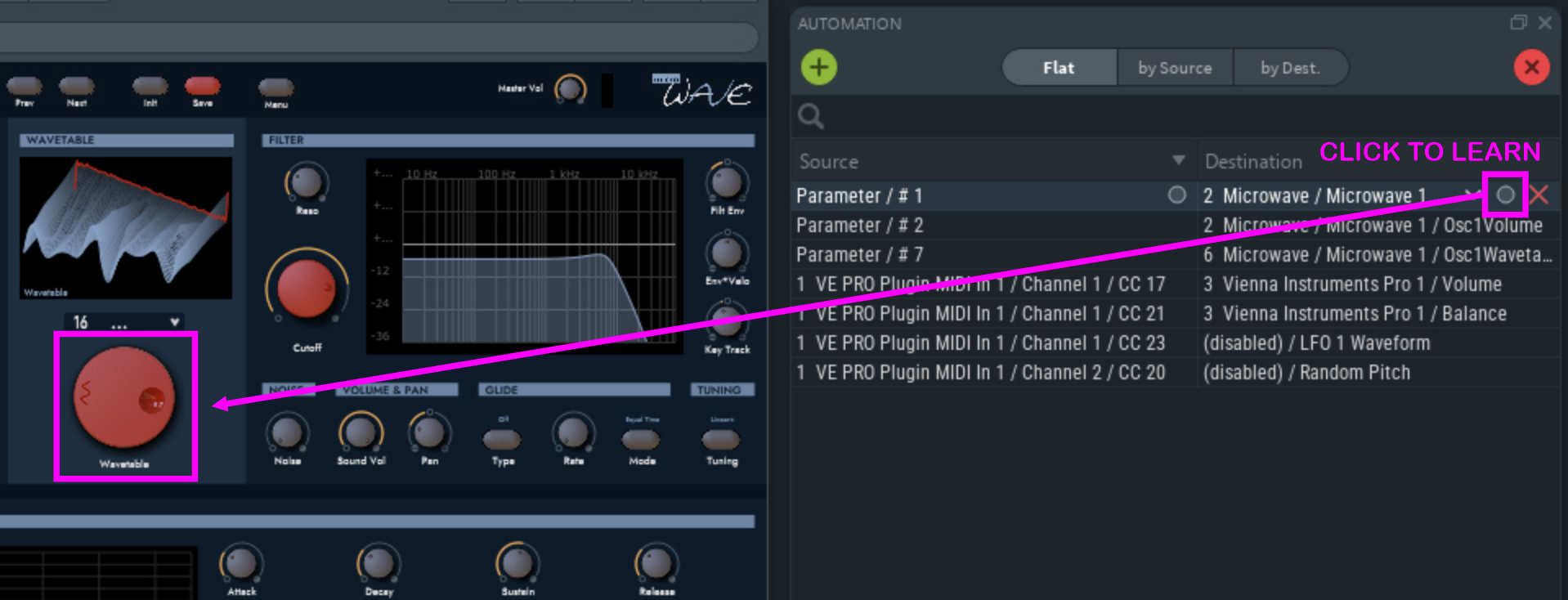
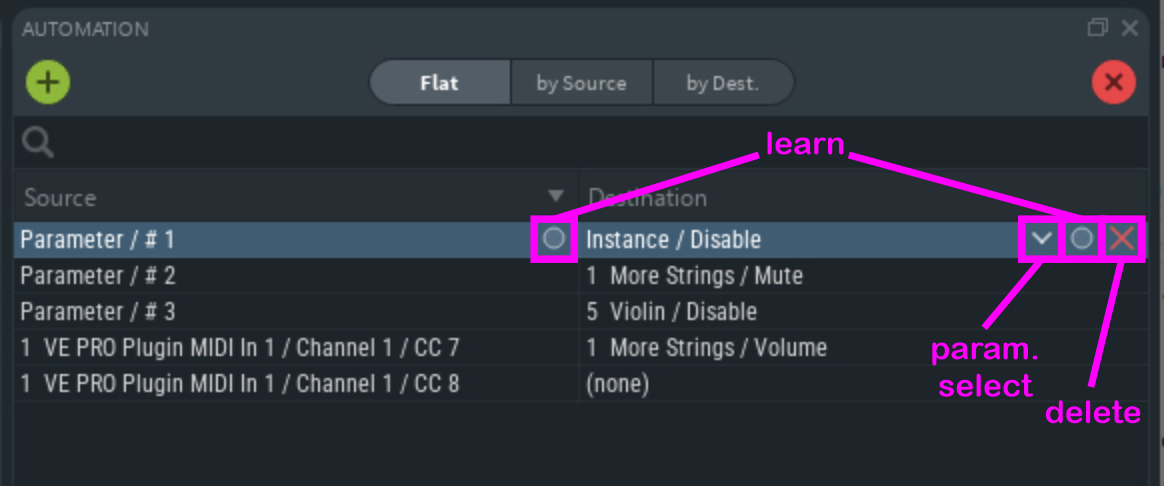
Add new entries by clicking on the "+" icon, and "x" to clear all automation mappings.
Hovering with the mouse over an entry gives you the options to select or "learn" source and destination parameters, or to delete that entry.
Choose the corresponding parameter in your sequencer and choose from the available automation modes (Read / Latch / Touch / Write).
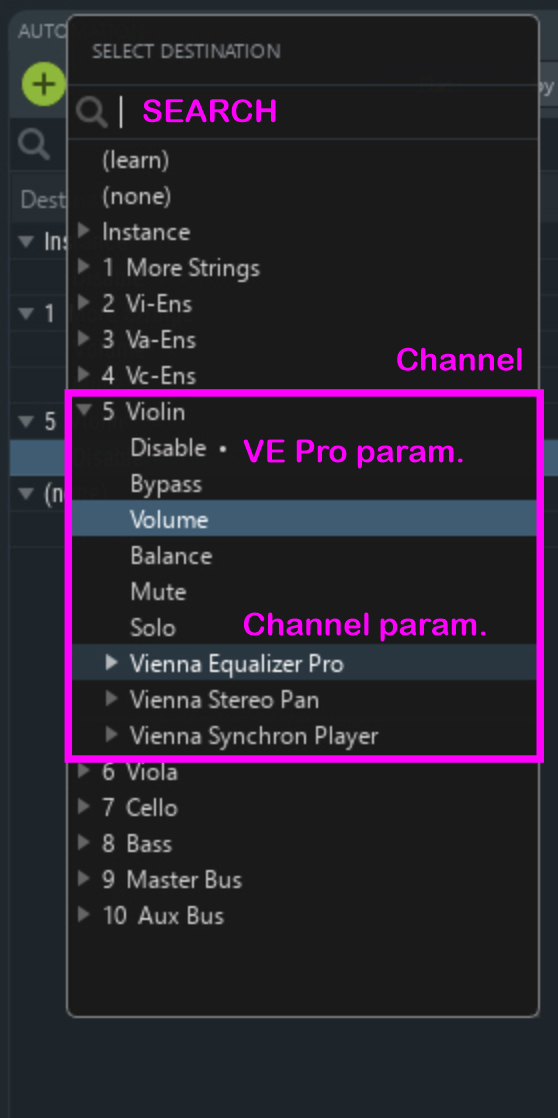
The search function allows multiple tokens and quoted phrases. Automation edits are included in the undo/redo history.
Tip
Both parameter names and values will be shown correctly in your sequencer - if supported.
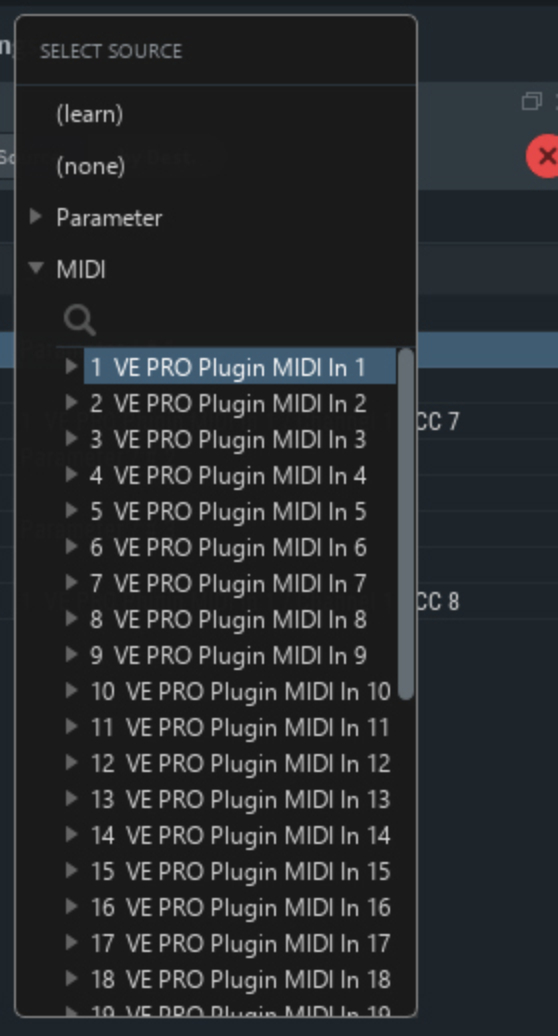
Add a new entry and choose the automation parameter or MIDI CC. Automation source and destination can either be selected from a list, or use the "Learn" buttons to assign any controller in your plug-ins or channels.
Important
Some Instruments like Vienna Instruments / Pro, Vienna Synchron Player, and Spectrasonics plug-ins only respond to CC automation in general, so that no dedicated parameters can be assigned and used for this kind of automation.