Every Vienna Performer instrument delivers two stereo microphone signals: Close and Room. Both were recorded in Stage A of Vienna Synchron Stage: Close with microphones near the instrument, Room with a Decca Tree in the hall, so the performer sits in a real space. The Sound area and the Mixer control how the two are blended and sent to your DAW.
Note
Changing a mix doesn't use any credits.
Room and Close: moves the balance between the room and the close signal. The text below the slider shows the difference, for example "Room 10.0 dB louder than Close". This is the quickest way to place an instrument nearer or further back on the stage.
Output: the output level of this instance.
Output Level: the level meter (L/R).
Tip
Double-click a slider to reset it.
Click Mixer to open the full mixer.
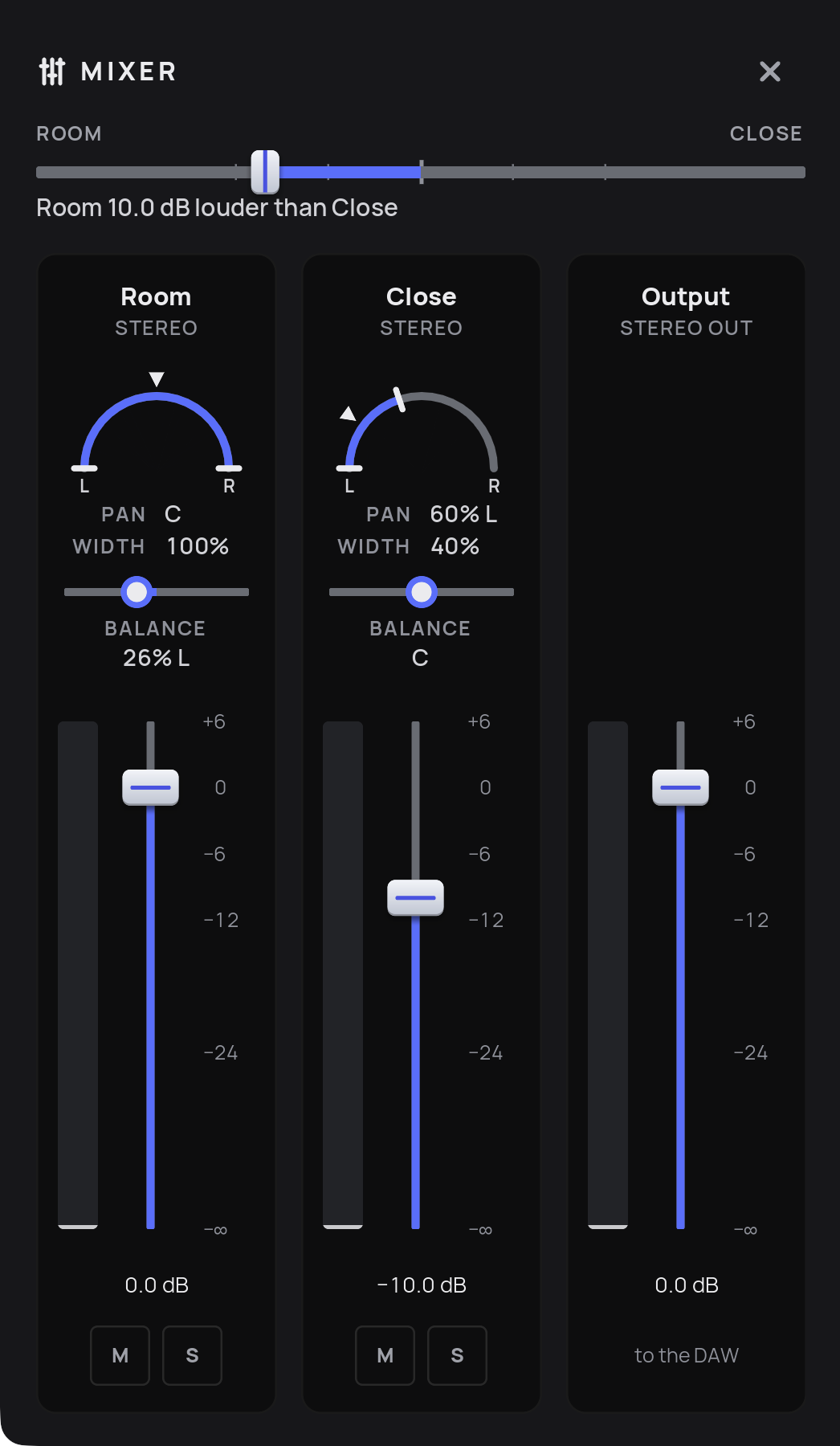
Room / Close slider (top): the same balance control as in the Sound area. When you move it, you see the Room and Close faders follow. Option-drag (macOS) / Alt-drag (Windows) the Room or Close fader to move both faders together.
Room and Close channels, each with:
Pan and Width (Power Pan): place the signal in the stereo field and set its width.
Balance: the left/right balance of the stereo signal.
Fader with level display.
M (mute) and S (solo).
Output: the stereo sum that goes to your DAW. An instrument's mixer state can include an output gain, so Output does not always start at 0 dB. Cmd-double-click (macOS) / Ctrl-double-click (Windows) the fader to set it to 0 dB.
Close the Mixer with the X button.
Tip
Double-click a value to type in a new one.
The Vienna Performer instruments were recorded in the same hall as the Synchron Series, Stage A of Vienna Synchron Stage, and mastered to blend with them. Updates of the Synchron libraries add Vienna Performer compatible mixer presets, so that sample-based and Vienna Performer tracks sit in the same room.